Robotic Arm Simulation
- Subscribe to RSS Feed
- Mark as New
- Mark as Read
- Bookmark
- Subscribe
- Printer Friendly Page
- Report to a Moderator
Code and Documents
Attachment
Description
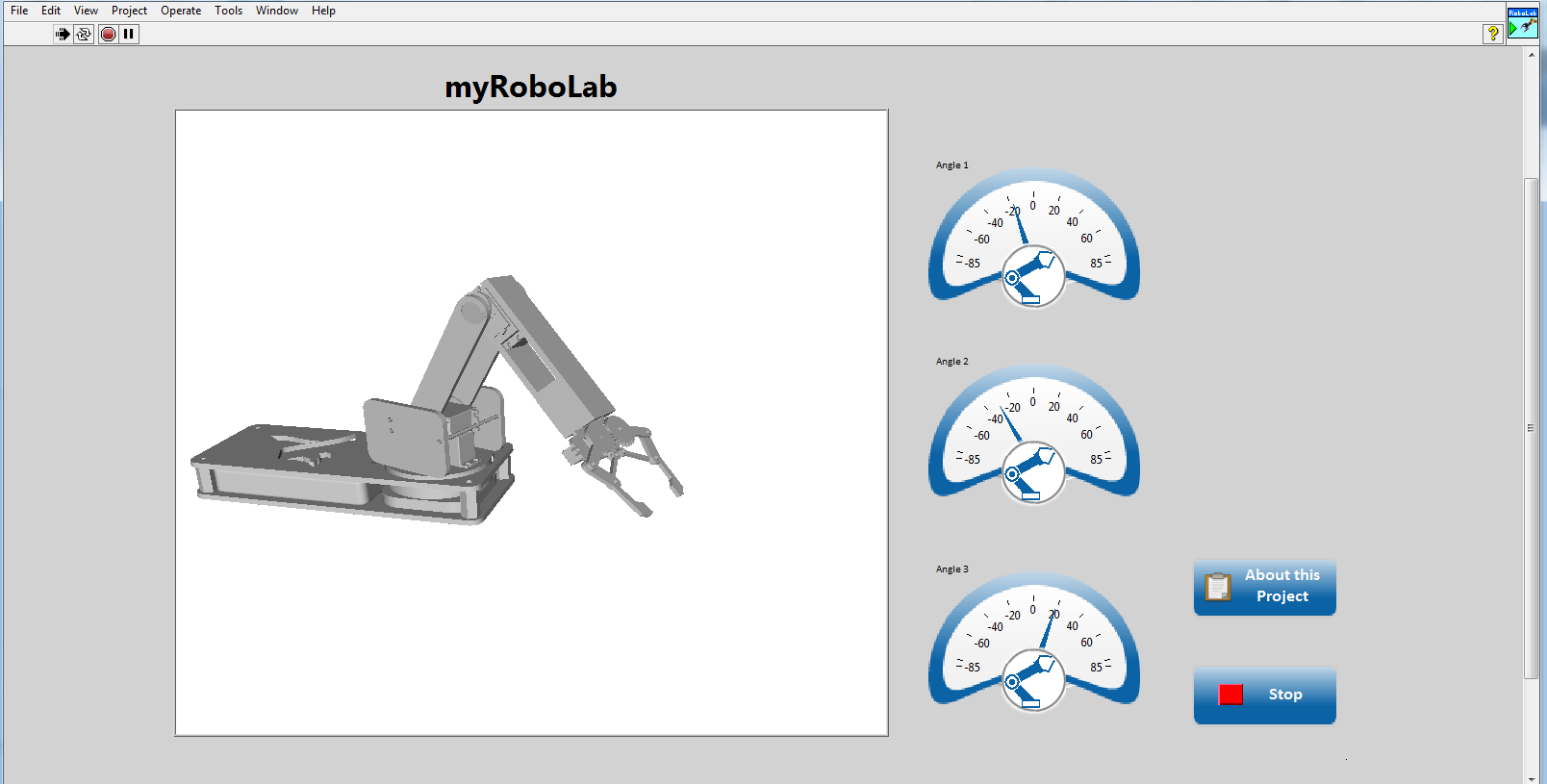
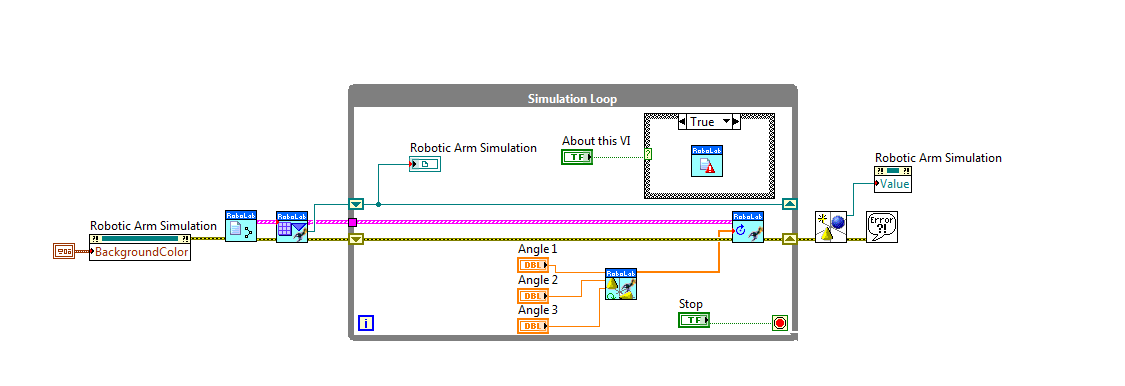
This example code is part of my placement year individual project, myRoboLab. It shows and explains with detailed comments how to build a CAD file into a LabVIEW simulation. For the demonstration of this, use of the myRoboLab arm will be made. This is a custom made robotic arm designed for the project mentioned earlier. If you would like to learn more about the project please feel free to follow the link below.
Steps to Implement or Execute Code
- Download the zip file below.
- Open the LabVIEW Project.
- This project was desgined using the Robotics toolkit, but I have included all the VIs and controls used from the toolkit inside the project so anyone with LabVIEW can run it. As a result, if you have the tooklit installed it will prompt you to choose which VI to use in the project. Just feel free to use the toolkits one, but any one of the two you choose you will not have a problem.
- Run the main VI.
Requirements
Software
LabVIEW 2014
Front Panel
Block Diagram
myRoboLab
https://decibel.ni.com/content/docs/DOC-41273
Example code from the Example Code Exchange in the NI Community is licensed with the MIT license.


- Mark as Read
- Mark as New
- Bookmark
- Permalink
- Report to a Moderator
Congrats Menelaos, the simulation works great on my computer.
- Mark as Read
- Mark as New
- Bookmark
- Permalink
- Report to a Moderator
Thank you very much Petru. I am very happy it works for you as well 


- Mark as Read
- Mark as New
- Bookmark
- Permalink
- Report to a Moderator
Hello, I´m interested in this project but I only have labview 2013, is there a way that you can send me the code in that version? I don´t want to install the 2014 version of matlab because I have a license for the 2013 version. Thanks in advance.

- Mark as Read
- Mark as New
- Bookmark
- Permalink
- Report to a Moderator
hummmmm,nice, perfect,thanks mate
