Description
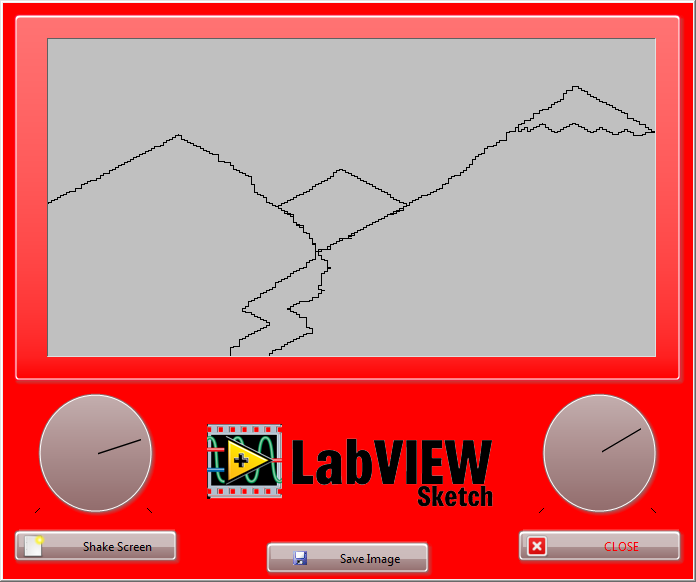
Description-Separate-1This LabVIEW Project makes use of the XY Chart vi, to simulate the Etch-a-sketch toy by the Ohio Art Company. It also shows off a few tricks for front panel manipulation.
Instructions:
1 - Use the dials on the Left and Right hand side of the panel to draw an image on the screen.
- Spin the left dial clockwise to move right, spin it anti-clockwise to move right.
- Spin the right dial clockwise to move up, spin it anti-clockwise to move down.
2 - Precisely make your drawings with the arrow keys.
3 - Save the image you make by clicking the Save Image button, it will ask you where you want to save your new .PNG file.
4 - Click the Shake Screen button to shake the screen and clear the image, just like an Etch-a-Sketch!
5 - Click the CLOSE button on the bottom right to stop the application.
- While in development mode, the VI will return to the block diagram.
- While in run-time mode, the VI will close and the application terminated.
Block Diagram:
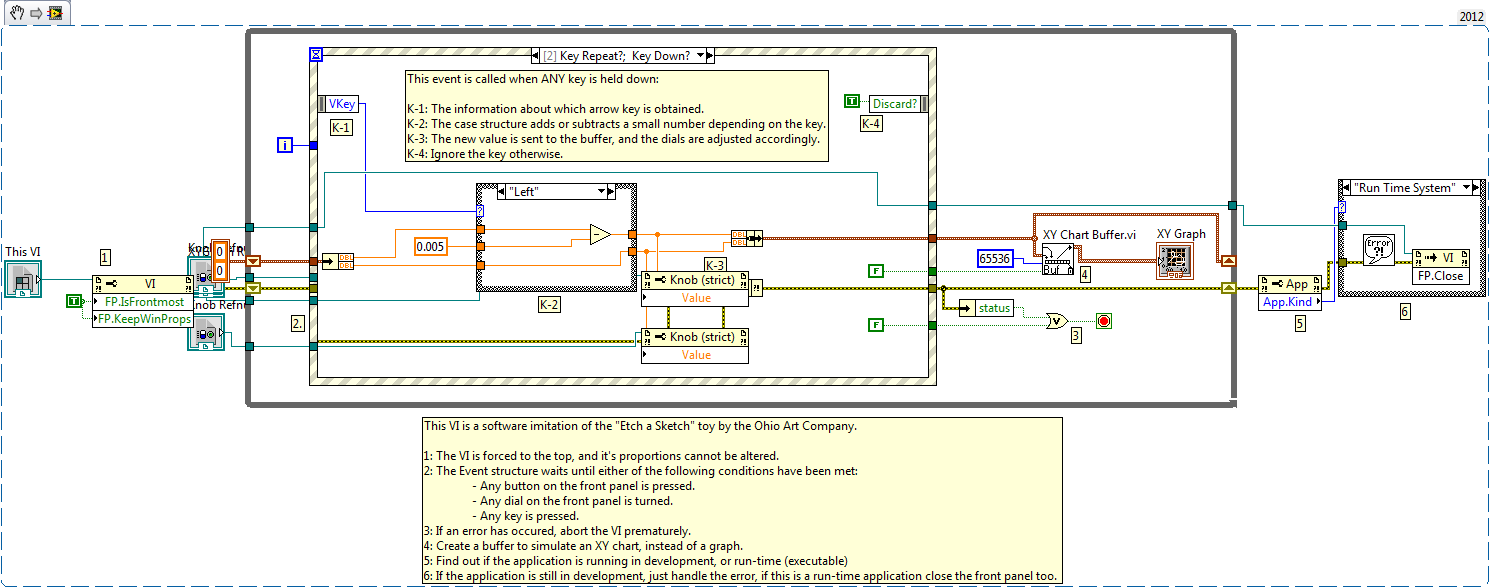
To see how the other event cases are handled, please download the projects in the attachments.
Related Links:
How Do I Implement an XY Chart in LabVIEW - https://knowledge.ni.com/KnowledgeArticleDetails?id=kA00Z000000P82GSAS&l=en-US
Description-Separate-2


