Overview
This VI is an example of how the ni-rt.ini file can be modified on a Real-Time controller programmatically from a host PC.
Description
The VI should be run from a host PC; it uses WebDAV to copy the controller's ni-rt.ini file to a specified location on the host, edits the StartAppAtBoot token, and then uses WebDAV to replace the ni-rt.ini file on the controller with the new settings. This VI is designed to work with a Linux RT controller such as the myRIO or cRIO-9068, to use it with a VxWorks target, you will need to change the path to the ni-rt.ini file.
Requirements
Software
LabVIEW 2013 (or compatible)
LabVIEW System Configuration API
LabVIEW Real-time module
Hardware
A Linux RT Target (other targets possible but changes will need to be made.)
Steps to Implement or Execute Code
- Ensure you have a connection to a Linux RT target.
- Choose your target using the "Session In" dropdown box. Depending on your controller settings, you may have to initialize your connection first with the appropriate login information.
- Change the boolean control on the front panel to either disable or enable the RT Startup App.
- Run the VI
Additional Information or Reference

DisableStartupApp 2013 NIVerified Block Diagram
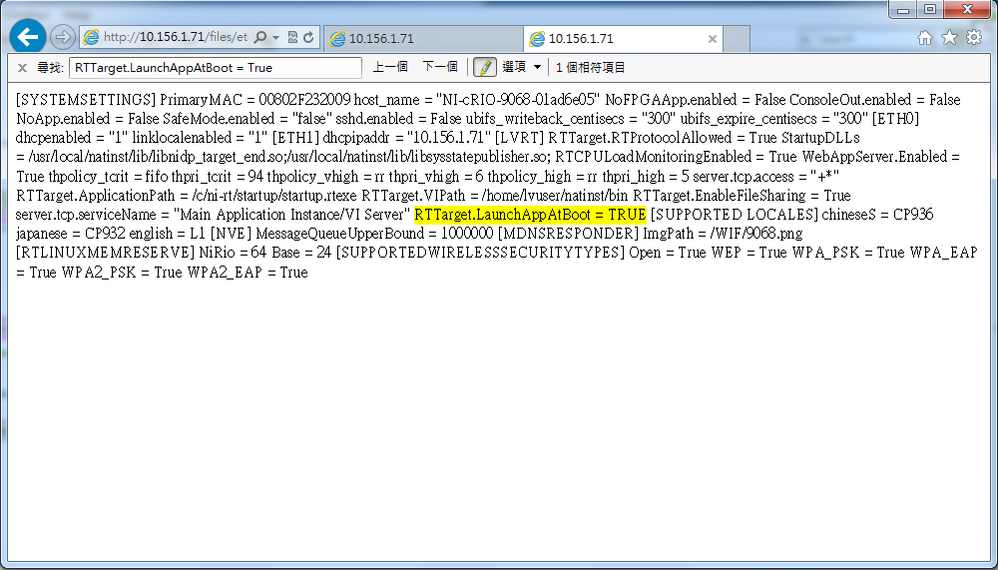
After pressing "StartupApp?" ni-rt.ini file.
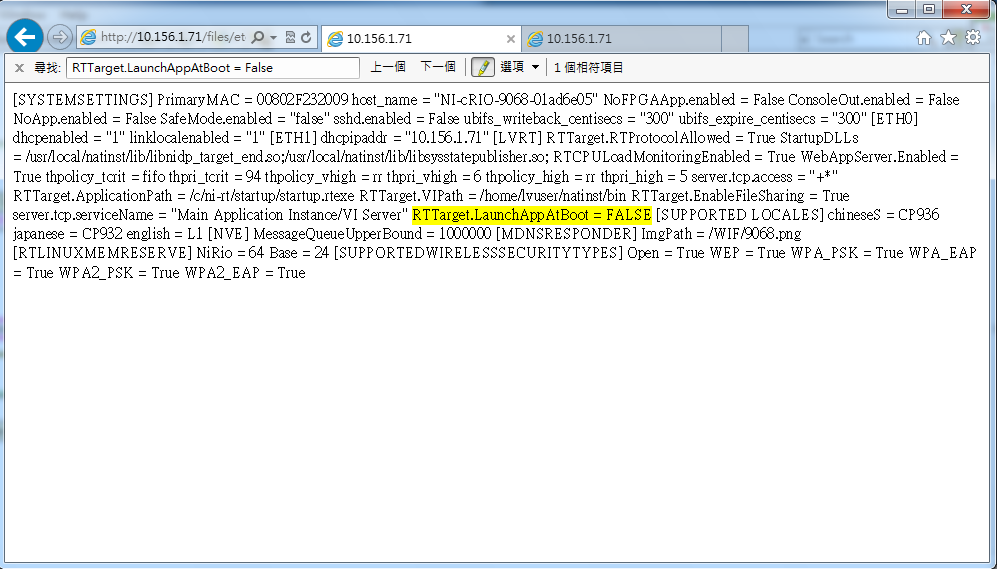
If not press "StartupApp?" ni-rt.ini file.
**This document has been updated to meet the current required format for the NI Code Exchange.**


