Random Ramblings on LabVIEW Design

Community Browser
Labels
cancel
Showing results for 
Search instead for 
Did you mean: 
swatts
4768 Views
4 Comments

The last couple of years I've tried to give credit when credit is due, this is peculiar behaviour for an English man and doesn't come naturally at all.....

My last but one article was critical and Karma insists I correct the balance of the universe by kissing some butt.


So I'd like to heap praise on some people I've come into contact with from NI in the hope of making them uncomfortable,  first from over the pond.....


Mr S Mercer, Mr A Smith, Mr E Kerry, Mr D Nattinger, Ms C Rogers ................... All for having the guts to show us their code and ideas (this is a very hard thing to do), encouraging the open sourcing of tool kits, improving the examples, being so open in the community, spending so much time responding to me.


Mr B Powell, Ms N Hollenback ...................... For CLA summit efforts, buying me dinner in Paris


Ms K Hunka, Mr G Heimbach ....... for tireless Champion support


Ms M Martin ....... being constantly good humoured in the face of me grumbling about re-cert.


Mr R Des Rosier .... for inviting me to beer club and giving me excellent tequila. I'm sure he's owed technical thanks too


In the UK


Our past and present sales engineers especially Mr T Gibbs and Mr A Simms .....


Mr M Bailey, Mr S Emery, Mr N Williamson, Mr J McNally .... so smart and always eager to help.


Mr J Woodford .... for patience in the face of my unusual attitude to business.


All the guys and girls who help with CSLUG (including the 2 interns who showed stunning myRIO projects this time round, makes me very hopeful)


Everyone involved with the CLA summit in Geneva and the guys at CERN, a fantastic and inspiring event.


Anyone else I owe thanks to and forgotten to, because I'm an idiot!


Obvious thanks to the bosses.


So what's prompted this hippy behaviour? Well several things

  1.  CLA re-cert in 4 years!!!!
  2. GOOP Dev Suite is open source!!!
  3. Geneva CLA Summit was just incredibly good
  4. Spring is in the air


Spring.jpg


I'm also liking the move towards more open APIs, listening to the community, engaging with the community that's been happening for the last few years.


I know this seems a bit strange but what the hell, we're quick to grizzle and moan and much slower to say nice things. Especially to large corporations.


Lots of random hippy peace and love (oh and anyone calls me a hippy I'll punch them!)

Steve

swatts
6164 Views
20 Comments

Here's a little quiz question for the weekend

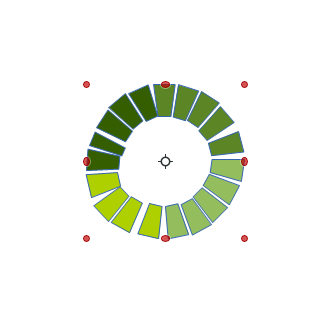
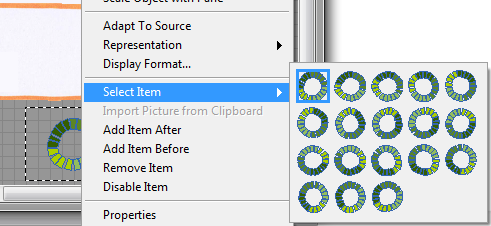
How did I do this??

FP.pngBD.png

All are the same control and I can set new colours for new ranges if required. I quite liked the solution (little things please little minds)

I'll buy a beer for the first correct answer.

For all who are travelling to Geneva for the Euro-CLA Summit, travel safe and I'll see you there.

Lots of Love

Steve

swatts
13137 Views
54 Comments

Hello my friends.

Hope you are full of LabVIEW loveliness


One of my pet hates is people who say "I'm not being difficult|rude|critical but....." and then proceed to be just that!. Well I'm not being critical but I think the standard model of LabVIEW re-use sucks.


I hate myself!


One of the on-line groups I am a member of is devoted to collecting best practices with regards to  software development using LabVlEW. A subject came up recently with regards to upgrading old code and it became apparent that my company (SSDC) had been working around an issue within LabVlEW practices and we've been doing this for over a decade. The trouble is that when the work-around becomes in-grained it becomes habit and then just something you do. Well my eyes have been opened and I would like to discuss the standard LabVlEW re-use model and how it doesn't fit into our use case.


First I'll describe the standard re-use model as I see it (feel free to chip in and expand this).


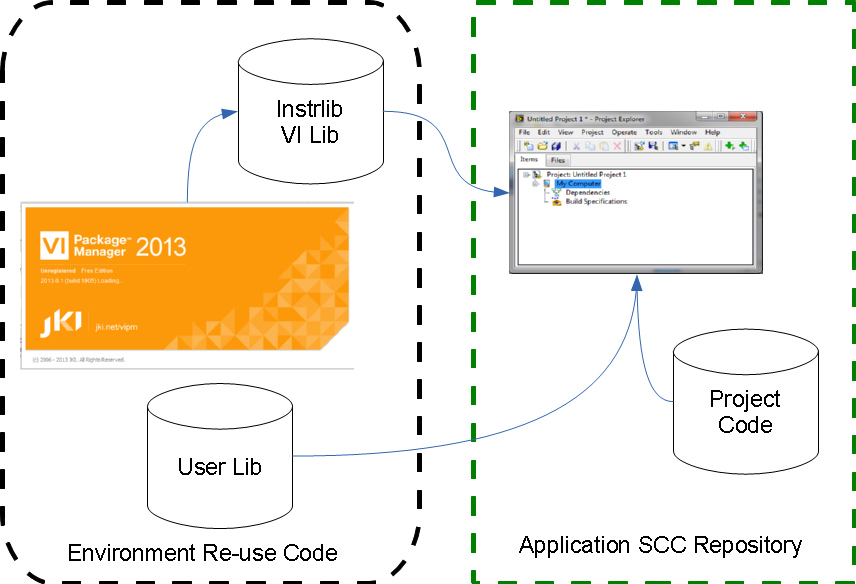
Standard.png


In the LabVIEW Environment we have several places to put libraries of re-usable code and these appear in our palettes

\lnstr.lib — Download a hardware driver and it will likely as not appear here

\vi.lib — We park code in the Addons Sub-directory, also toolkits go here

\User.lib — This is the main directory for re-use code


Using the excellent VIPM makes this easier to manage.


So in the ideal world for this model our final piece of software will consist of VIs and Controls pulled from these libraries. Our projects then become an assembly of our own code and this re-useable code. This is part of System Configuration Management and a white paper (especially section 5) discusses this.


Let's call this re-use in the environment.


This is how it has been for as long as I've been using LabVlEW and for as long as I've been using LabVIEW I've been fighting against it.


So what's the issue?


Let me describe some common worries

Upgrading, moving machines, deploying source-code

  • PC goes phut!
  • IT Rollout a new operating system
  • LabVlEW gets upgraded
  • We want to set up a new development system.


Now it's a bit annoying to reload all the dependencies (by dependencies I mean drivers, re-use libraries etc etc), but manageable enough.

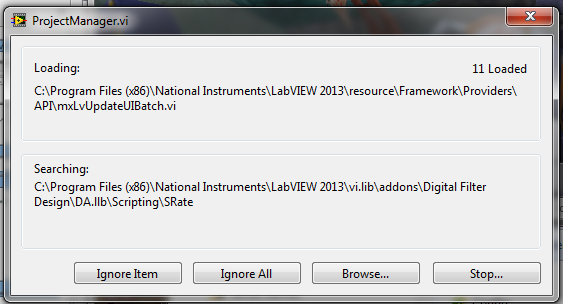
Linking to dependencies, lost links, version cock-ups

More seriously for me is the quiet/silent changes.

Lost.png

So we change a system VI and this changes things in other programs, this has happened to me and is incredibly annoying, in de-bugging it's all too easy to open a VI that isn't doing quite what you want it to, but if you change it it will cause issues in other projects that share it.


Don't get me started on multiple versions of LabVIEW on 1 PC and the save-all disaster (I'm sure I'm not the only one!)

Version control, traceability and validation

Here's the thing...I've got my project under version control, version number on the front panel for all to see. TortoiseSVN shows all ticks. I open the General Error Handler.vi and change it, save it. Nothing visibly changes in the project, worse nothing visibly changes in all my other projects. I have no way to detect changes in my project caused by changes in shared library code.


“This might be the last of the Ten Commandments but it’s a really, really important one. When an app has external dependencies which are required for it to successfully build and run, get them into source control”


http://www.troyhunt.com/2011/05/10-commandments-of-good-source-control.html


Storage.png


Now on the assumption that storage space is essentially free now I propose a slightly different model.


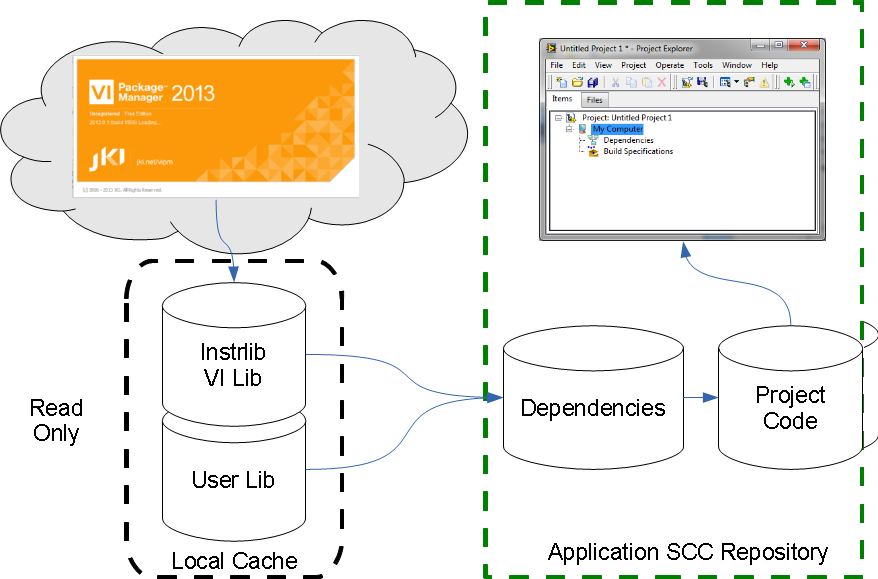
Keep re-useable code in the system libs as a local cache, but when they are moved onto the block diagram offer the choice to create an Ivlib in the project. This should protect the name-space, any other tools from the same lib could be added to this Ivlib. This Ivlib should be stored in a sub-directory called Dependencies below the calling VI, give it an auto-generated name like instrlib- Agilent 34401.1vlib and the Project can then contain all of the shared VIs. This will then make a package of standard LabVIEW that can be versioned and stored away. So take NIScope, a fairly large set of VIs even if we're not selective we are only adding 2Mb to our project size. A complex project might add 50Mb.


Proposed.png

Let's call this re-use in the project.


For 100% confidence in your build I suggest you would need 100% traceability of the code elements - there is an argument to include all dependencies in this, I'm talking dlls here! I middle ground suggestion maybe to include a dependency manifest as part of the project files that lists all dependency dlls, versions, date changes etc. This would be updated when the project is opened.


I think this may be an interesting discussion (and not one I've heard discussed much), part 2 will look a bit futher forward and be a bit more radical.


Many thanks to Jack Dunaway, Adrian Brixton and Jon Conway for helping to turn my vague grumblings into a coherent article.


Looking forward to Geneva CLA Summit, not looking forward to re-certifying, maybe this will be my last one!

Lots of Love

Steve


"The only other advice I can relay is that you should write code as if it were mistaken, and you wil..." Tef

swatts
4673 Views
0 Comments

Hello LabVIEW Lovelies,

In the previous article I demonstrated how Deploy can be used to improve your software process, linked with version reporting,bug reporting and version control.

In this article I want to go under the hood of Deploy and show some of the nice touches you can add to your code, and more importantly how this makes you and your customers lives easier.

MainVI.png

Starting with A on the image above we can see the current version of the software should be displayed, we sometimes link this to a dialog box that displays the VI documentation (where we store version info). I cannot emphasize enough how important this information is, similarly if you are doing realtime and FPGA projects stick a version number on these screens too. If you do an embedded system with communications make a command that tells you the version. You'll thank me at some point for nagging at you!

VersionCode.png

To dig out this information we use the code above at the start of the program, also notice that this is where we kick off the update API to check for changes every 5 seconds and this is wired into a user event.

Looking at the user event...

NewVersionUserEvent.png

When a new version is available, the user event is fired that makes the new version button C visible and updates its tipstrip.

This leaves button B all this does is chuck up a webpage linked to our bug-reporting URL. More interesting is how these URLs are updated in Deploy so let's look at this.

We've touched on Constant VIs in the article on Rapid Debugging and Greg Payne talks about them in his blog, both of which were inspired by Fabiolas work. One  fundamental reason to why I like them is employed by Deploy to update URLs to the bug reporting and manifest URLs.

BugReportURL.png

I added a custom page to the Deployment Configuration that allowed me to enter a Bug Report URL. Then in a custom step we use LabVIEW scripting to update the constant VI.

UpdateBugReportURL.png

Perhaps at this late stage I should explain a little about the way Deploy allows customization. It uses dynamic loading to nice effect by taking numbered VIs in a customization directory and running them in order.

This is demonstrated quite nicely by showing it in the project window as below..

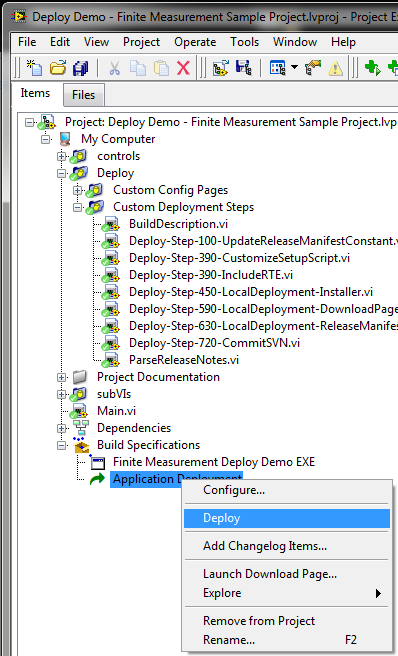
DeployCustom.pngSo here you can see that you can add custom steps and order them by changing the number. I squeezed the bug reporting URL into Step-100 and the other interesting step is Step-720-CommitSVN.

I wanted the changelog details to be made part of the Subversion commit message and also to be stored in the Main VIs documentation.

CommitMessageEtc.png

This is how it was done. I know it's a bit technical but I wanted to demonstrate how flexible this tool is and how you can bend it to your needs.

You may think this is a bit of a commercial break for Deploy but if I didn't think it was important I wouldn't go into writing. This type of tool, the integration of version control and the linking of project based constants into your code are extremely useful techniques that will add value to your code or maybe just make your life a little easier.

I'm all signed up for Geneva so if you are coming I'll see you there. Possibly might present.

I have a couple of articles on SMoRES and Re-use in the pipe-line but sadly I'll be spending a considerable amount of time preparing for my CLA-R exam instead (sigh!).

Lots of Love

Steve

swatts
3973 Views
2 Comments
Happy New Year my lovelies.

The other part of my NIDays presentation involved a demonstration of Deploy it started off as just running the shipping demo, but I wanted to show more of its capabilities and for my demo to better reflect a decent software lifecycle. In short I wanted it to look a bit like this.

Untitled.png

I also wanted the demo to check for a new version and display an upgrade button if  a new version is available.

In this article I will discuss the process, in the coming articles I will show how I achieved it using Deploy's extensive customization capabilities.

StartMain.png

So here's the original version running along nicely and the user decides they need a new banner for the SpiritedAwayDays Conference, they click on the awesome custom bug button and up comes a bug reporting screen.

Enter New Work Item.png

We use CodeSpaces but any online bug reporting tool could be used. So tap in the details and press send and the work item will be added to the project window.

OpenWorkItems.png

This screen within CodeSpaces will allow you allocate a person for the task and a milestone/version number for this version of the software.

We make changes to the Changelog in the Deploy configuration and update the software.

AddChangelog.png

We then test the change and deploy the new version.

DeployYourApp.png

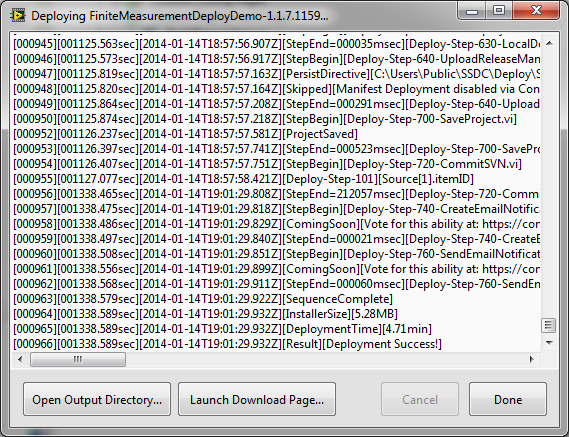
DeployScreen.png

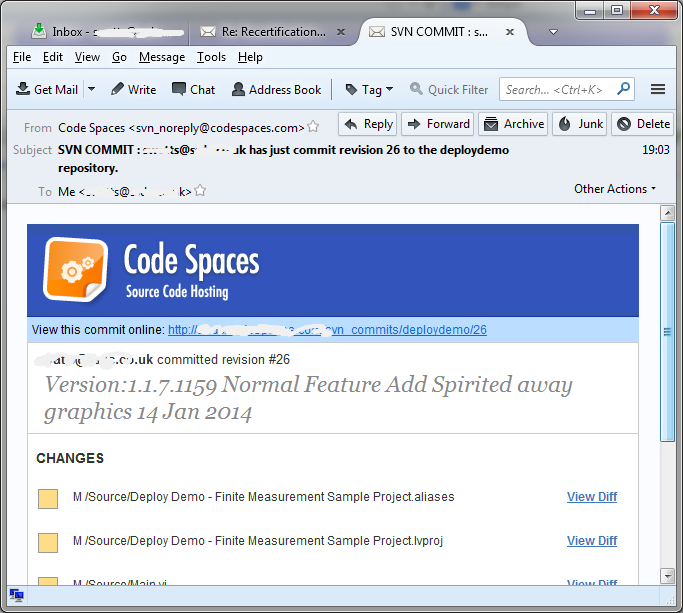
Deploy allows custom steps to be added and one I use is to commit the changes to subversion with a comment linked to the Changelog. My SVN host sends me an email to confirm it.

SubversionComment.pngSVNEmail.png


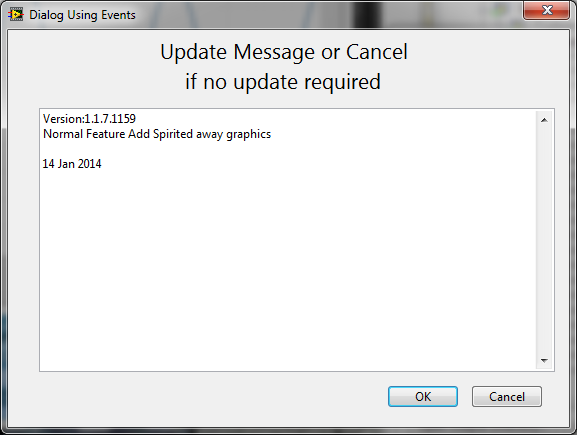
The application detects there is a new version available and displays a download button.

WeGotANewVersion.png

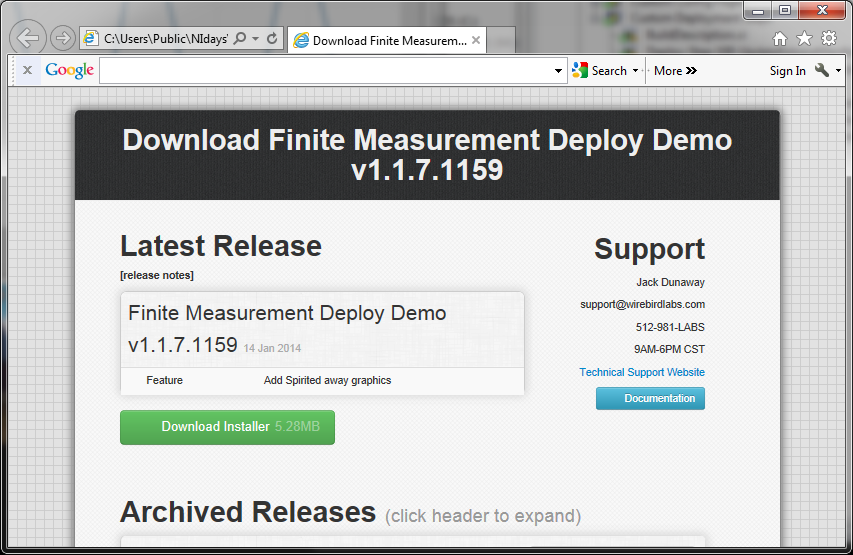
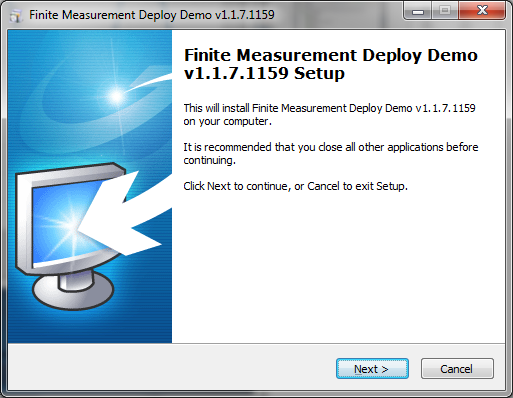
When you press the button a download screen is displayed and a new version can be loaded.

DownloadScreen.pngDeployLoadScreen.png

And finally we're back up and running again.

StartMainSA.png

So that's the process and there is a video of it in an earlier incarnation (manual SVN entry) available here. If I get time I'll record an up to date version.

The next articles will go under the hood of Deploy, creating custom steps, custom pages and how to link it in the application. The gap I would like to close is the testing side of it, will do this when I get time.

Now I'm going to save the corporate world millions of dollars by creating a generic mission statement that anyone can use...

Be really really good at whatever it is that you do.

Lots of love

Steve

swatts
3724 Views
2 Comments

1475891_614156978639281_330425739_n.jpg

Another year goes by and hopefully we are wiser and better for it.

I churned out 18 articles this year and approaching 15,000 page impressions, I'm kind of pleased with that. I hope they were something a bit different and of use.

Next year I will be doing a 2 or 3 part series on Deploy and integrating and customizing it. I have some opinions on SMoRES and I'm not finished with encapsulation etc just yet. I still have a very complex article on design trade-offs to get sorted so there may be a gap while I thrash it out.

I've got my CLA-R to do in March so that may cause me some angst. The CLA summit in Europe is at CERN so I'm looking forward to it if I can scrape the money together.

Oh and I saw Alan Turing's clocking in card on Tuesday and that was very cool indeed.

I would like to extend a big thank-you to anyone that has contributed this year, I really appreciate it.

Have a marvelous holiday and I'll see you next year.

Lots of Love

Steve

swatts
13799 Views
25 Comments
For a splash screen to get the title GROOVY it needs to have a strange shape, exhibit the right kind of transparency, fade in and have some nice custom progress stuff going on.

I laugh in the face of rectangles!!

So to cure the world of SQUARE software here's how to do it, code will be posted somewhere. Download SplashScreen2013.zip

Tools

You will need Paint.NET

And LibreOffice

And LabVIEW 2013

The LabVIEW bit

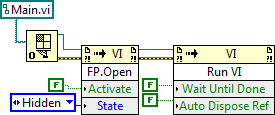
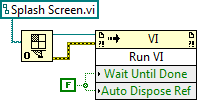
You will need to dynamically load the splash screen and then some time after the main program. For a nice fast start up we want to load the main program in the background and then show the front panel.

Startup VI

DynLoadSplashscreen.png1st Dynamically load and run the splash screen
DynLoadMainscreen.pngThen start loading the main program
BringUpMainscreen.pngAfter a bit of a wait bring up the main screen
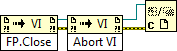
CleanUpSplashscreen.pngand tidy up the splash screen

Splash Screen

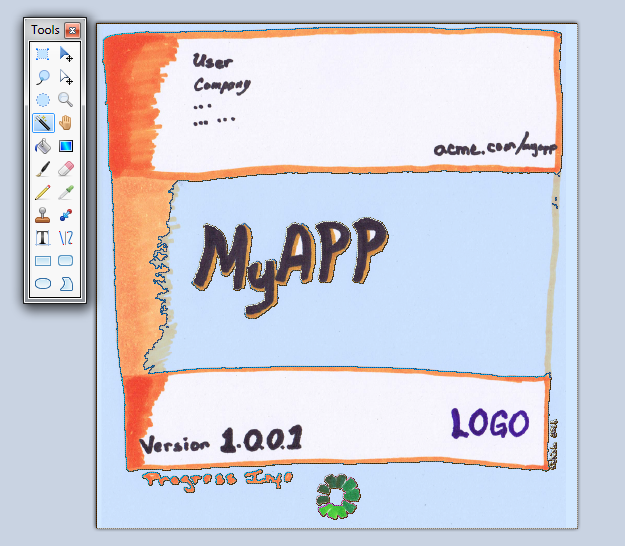
This is the pretty bit, first lets get the graphics. Cut and paste the image into Paint.net and use the magic wand tool.

MagicWandTool.pngThis selects a block of colour that you can delete (make transparent), Delete any thing else that you are going to replace. In this case I deleted the progress, version and link to the website.

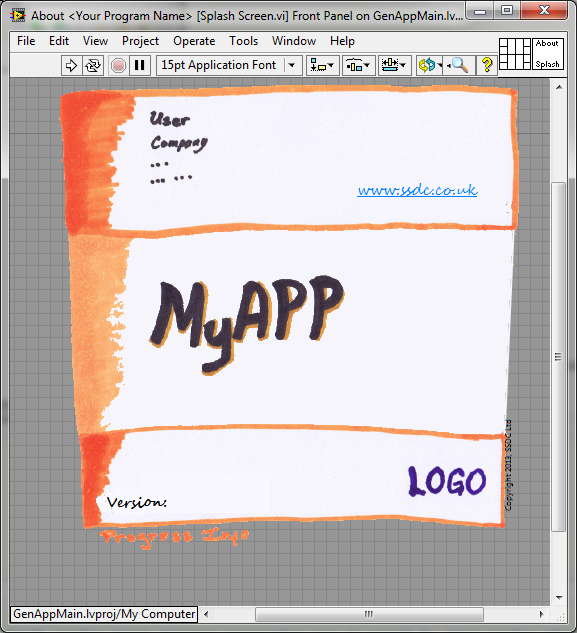
Next we load this into our splashscreen VI by Edit>>Import Picture to Clipboard... like thisSplashscreen vi.png

The progress indicator is simply a ring control made from a rotated metafile created in LibreOffice.

ProgressImpress.pngProgress.png

Green Screen Transparency

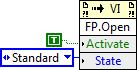
Now the clever bit is that we do not use the property FP.Transparency for this as this is mostly for fading in and out, we're after a green-screen affect where the background colour is masked.

For this we need to use some Windows functions (I've no idea what the Linux and Mac methods are..sorry).

We need User32.dll>>FindWindowA - gets the window handle

User32.dll>>GetWindowLongA - Retrieves information about the specified window. The function also retrieves the 32-bit (DWORD) value at the specified offset into the extra window memory. We're after extended windows styles..

User32.dll>>SetWindowLongA - Changes an attribute of the specified window. The function also sets the 32-bit (long) value at the specified offset into the extra window memory. The window is a layered window

User32.dll>>SetLayeredWindowAttributes - Sets the opacity and transparency color key of a layered window.

I don't know where I got this from, it certainly wasn't down to my own hard work.

ooohPretty.png

This can be quite easily grabbed and moved about (bit of mouse down event jiggery-pokery, click on button 2 and drag it about).

So now you have no excuse for dull rectangle LabVIEW, we like Wonky

Hugs and Kisses

Steve


swatts
8493 Views
9 Comments

If you saw me doing Fab`s presentation "How to Polish Your Software and Development Process to Wow Your End Users" I'd like to apologise for making you uncomfortable, ah who am I kidding! I found it very funny indeed. Just to explain I stopped for 30 seconds just before talking about splash screens, causing lots of uncomfortable seat shuffling and worried looking attendees. Had a very good day, thanks to all who worked so hard.

In the last blog I laid out that you will likely be hit with changes at the most inconvenient time in a project i.e. at the end. This got me to thinking about one of the key benefits of visual programming and that is Rapid Modification. Some call this debugging and Glass rather directly (and accurately) calls the process error removal. The trouble with both of these terms is that they have the taint of failure about them. So if you are debugging you must be an idiot for putting bugs in in the first place!! Error removal!, WHAT I DON'T PAY $xxx/hour FOR YOU TO PUT ERRORS IN! I think you know where I'm coming from.

With a software project the standard view is that maintenance is a significant part of the cost of a project (40%-80% from various studies, 60% is an average), and a majority of this cost is not error-removal but adding new capabilities. Adding new capabilities and rapid modification is a positive thing, successful software is modified.

So a more grown-up view is that modification at the end of the project is normal, and if like us, you classify maintenance as the phase that begins from the moment you deliver the software to the customer that 60% doesn't sound so extreme. In short this is a very very important part of the software process and making this easy for ourselves will pay big dividends.

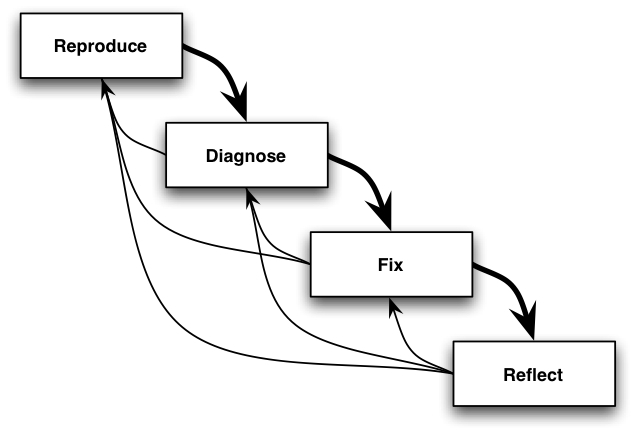
What is the debugging process?

remember__m6rc8u__.jpg

  1. Reproduce...Observe the process,Understand the problem
  2. Diagnose....Visualise the process
  3. Fix....Introduce a change
  4. Reflect....Test the change

As I mentioned earlier LabVIEW has some help to give us and this is one of its fundamental advantages.

The block diagram is an enormously powerful visualisation tool, cherish it please.

Probes, breakpoints, execution trace are all helpful.

Searching (please improve it NI), even with it's limitations it's sooo useful.

We can also help ourselves, here are some techniques to use..

Reading Before Writing...

Harlan Mills has it right, software should primarily be designed to be read. The decision to sacrifice readability is an expensive one (not necessarily for the original developer, but definitely for anyone else involved in the process)

Labeling Loops

Labeling Cases

Bookmarks

Type Defs

Enumerated Types

Putting control in event case rather than just leaving it floating, that way the event is only a click away.

Comprehension is the most important factor in doing maintenance

Ned Chapin 1983

Design with maintenance in mind....

Part of the design process is to think about how our design affects the various aspects the project lifecycle.

  • Scalable
  • Modular
  • Reusable
  • Extensible
  • Simple

The SMoRE acronym is used quite a lot, the trick is to adjust how much you concentrate your design efforts on where you get maximum benefit. I have removed Extensibility from my projects because they were pushing the hierarchy too deep and this was affecting Simplicity and Reusability.

Cohesion

Encapsulation

Keeping hierarchy as shallow as possible, you don't want to be trekking through layers and layers of abstraction to find the logical decision that tackles the problem. At my age I often walk into a room to do something and then completely forget what it is. Now if Watts Towers had 25 rooms that I had to walk through 1st it is very likely I would be in this situation more often! For all my facetiousness this is a very important point. I want to rapidly get to the point of logical decision and this process has to flow, anything that inhibits this fluidity makes visualisation harder and me grumpier.

Another important facet of visualisation is getting the solution to represent the problem, this relatedness is very important to simplifying your code. This is why I'm wary of all this talk of patterns, I fear the day when I come to sort out a job and I'm presented with Factory Patterns, Singletons, Facades etc etc when all I'm looking for is the bit telling me what the software is doing and when. All these things have their place, but if they hinder debugging they are costly indeed.

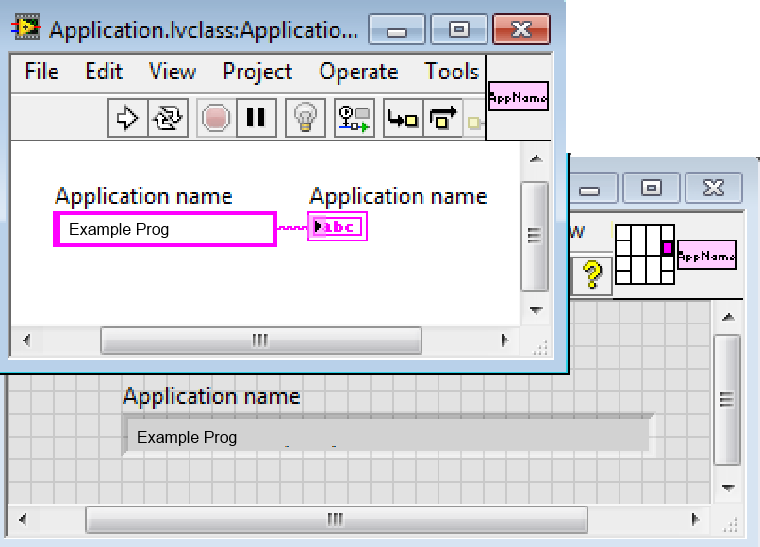
Using searchable structures like Controls and subVIs. The Constant VI is a very good example of this as a technique.

ConstantVI.png

Exercise some constraint when using dynamic loading and dynamic dispatch. Especially where the dispatched vi change the functional decisions of the software. In my experience dynamic dispatch can simplify a block diagram if used correctly, but if the method changes the function of the software it can act as a block to visualisation.

I might do some funky graphics stuff in my next article.

Hugs, Kisses and Psychedelic Shirts to you all

Steve

swatts
11689 Views
11 Comments

I've been thinking about projects and lifecycles (an exciting life I lead). I've flipped it round a bit and have been considering how a customer would like to see their software developed. All of the figures here are the result of extensive research and obviously I would never just dream them up....

Traditional Life Cycle Models

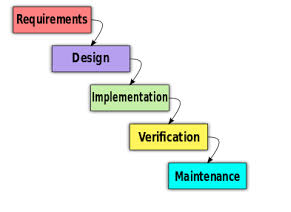
Waterfall

Every conversation about life cycles has to being here.

Waterfall.png

This is too boring and discredited to spend much time on, in short it doesn't work, never has, unlikely ever to.

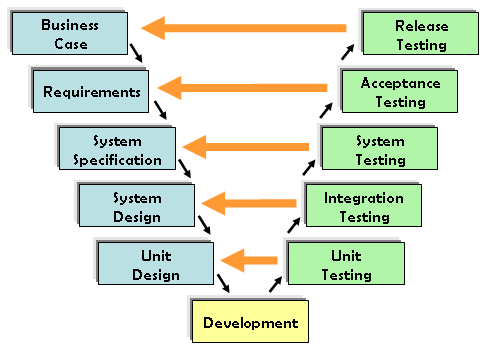
V Model

VModel.png

This is used in formal programs and each step on the design side is matched by a corresponding test and feedback into the design documentation.

In real life I've never had a customer want software to be developed in this manner.

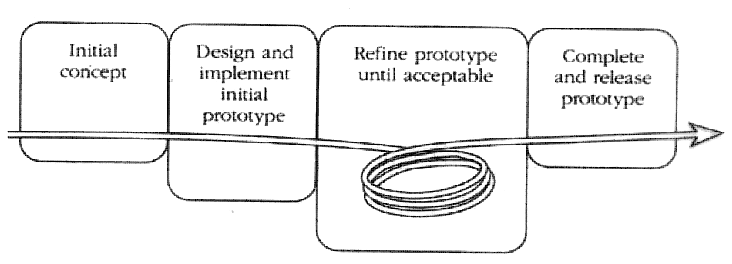
Prototype Model

Prototype.png

This fits nicely into our general way of doing things.

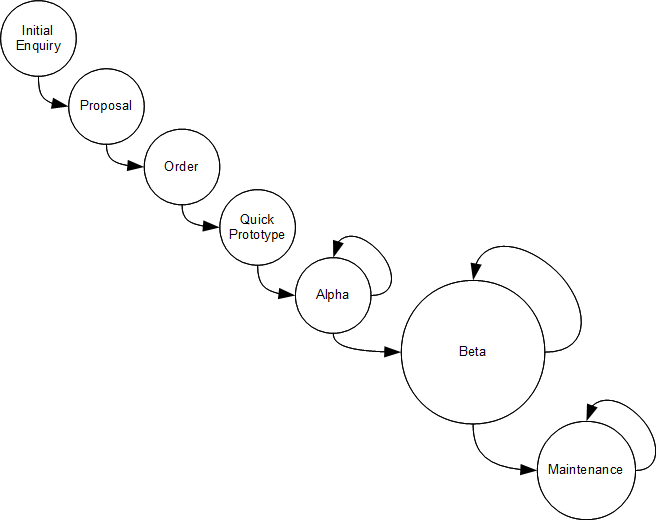
A few more steps and we're there.

SSDCModel.png

More interesting is when you add user requirements to each of these sections, I'll split these into Easy Requirements and Hard Requirements based on how easy or hard they are to define.

An example of an easy requirement is "Store the data in a database", a hard requirement could be "System should not slow down if you need to display 10000 readings". This type of requirement is unlikely to be found in testing (usually testing is done on nearly empty databases, with manageable amounts of data).

1. Initial Enquiry

Sometimes a customer will tell you what he wants, this can either be form of a requirements specification, test specification, existing system, meeting, product etc etc. Realistically we would hope to get 70% of easy requirements and 50% hard.

2. Proposal

To quote a fixed price you need to have a pretty good idea what you are producing, therefore a bit more information should be received at this stage, let's say 5% easy and 2% hard.

3. Order

Off we go, let's write some software!!

4. Quick Prototype

This is the design review milestone usually, and a good opportunity to get a few more requirements, easy 13% and hard 5% sounds about right.

5. Alpha Test

The Alpha test is an offsite customer approval test and another opportunity to garner a few more requirements, easy 10% and hard 10%.

6. Beta Test

Now we're at the pointy end of a project, the customer is beginning to use the software and now we are beginning to get hit by the enemy of all project plans....REALITY. Expect 2% more easy requirements, but 20% or more hard requirements.

7. Maintenance

Now it is in use and you will find usage issues coming to the fore, now if you've done your homework you shouldn't get any extra easy requirements (pertaining to the original job), but because the software is in long term use you are quite likely to run into usage requirements, these will be hard to define by nature and could be up to 10%.

Robert Glass says in his wonderful book Facts and Fallacies of Software Engineering

The most persistent software errors-those that escape the testing process and persist into the production version of the software-are errors of omitted logic. Missing requirements result in omitted logic.

Tut tut tut I hear you saying, this is a desperately unstructured way to write software, I'll put in a counter-argument. This is actually what happens, it might not be ideal but it happens! New requirements are usually generated when your software hits Real-Life.

It's nearly as difficult to write complete and accurate requirements as it is to write complete and accurate software. The truth of the situation is that a user will not fully understand their requirements until after the system is delivered. They just won't.

In the market we play in should we really expect our customers to be able to completely define their system?

The saving grace is LabVIEW is not a traditional language, with LabVIEW you can expose your software to Real-Life far earlier than traditional software. If you begin your project on the assumption that you are not going to be given the whole picture and design and cost accordingly you are onto a winner.

I have more on this subject, but it's not quite formulated in my head yet. I think this early exposure to real-life is actually a real intangible benefit of LabVIEW and worth more consideration.

I'm presenting Fabiola De la Cueva's excellent "How to Polish Your Software and Development Process to Wow Your End Users" session at NIDays UK, please accept my apology now Fabulous. I'm really not comfortable with public speaking, but am a bit more happy with the chaotic chat about the slides approach that seems natural to me. If it gets too bad I'll show the video of Fab doing it professionally.

See you at the QEII Centre or propping up the bar at the Westminster Arms (a pub with a division bell, so that MPs know when to go and vote)

heel veel liefde

Steve


swatts
9877 Views
4 Comments

Over the last 20 articles I've been discussing and thinking about design, methodologies etc. I think it's time to sit back in our smoking jackets, light up a cigar, pour a generous glass of brandy and have a bit of a recap. This is like a cheap episode of a TV series where they cobble together old clips.

My world view has been changed somewhat by the insightful input from you clever people. Obviously my world view is not going to be yours, but there is some useful stuff here I think.

So a few of the articles revolved around the concept of Cohesion and from this the discussion moved onto why our methodology doesn't give us the problems others have witnessed. Are all of our projects just inherently simpler or are we doing something others are not. Now this is something I have been really really thinking hard about and I have come to a conclusion. For us LCOD is a way of expressing our LabVIEW design with regards to Coupling, Cohesion and Information Hiding, because of this we are sensitive to communication paths, readability, abstraction. So if you just take the technique and design your components with no regard to how they talk to each other, the data they expose, the connectedness of their functionality you will end up with a poor LCOD design.

The exact same thing applies to LVOOP, you could conceivably make one big class, that contains all the data used by the program and has 150 methods that describe all the functionality of the program. This obviously would be a bad design but does it make LVOOP a bad methodology?.

The same will apply to actor framework I bet.

I think this demonstrates an over-riding interest in the community regarding techniques over actual design. This can be seen from the lack of comment and lower audiences for the more design oriented articles. (Cohesion for VIs and your State Machine, Databases with Jonny and Stevey, CODE Smell: if not EASY and not SIMPLE or not UNDERSTANDABLE=COMPLEX LOGIC!). Now personally I think the State Machine stuff is really something worth thinking about.

The other thing I have learnt is that use cases are very important when talking about methodology. I think some of the initial friction was due to the difference of the techniques for designing tools, compared to complete systems. Pretty much all of my discussions are regarding complete systems. For tools think DAQmx Tool Palette. From our perspective these lack cohesion, and this is absolutely correct. It is our job to take this non-cohesive, scaleable bunch of VIs and make them into cohesive modules (components, classes, actors)

If you're a complete stats addict (as I appear to be) you'd monitor the various numbers on the blog pages. As I understand it the #views increments every time someone lands on that exact page. To my amusement the page that gets consistent hits every week as if it has come from a search engine is the Universal Test Framework, an article making fun of the concept of a system that can test anything is now number 2 in the google searches for such a thing.

Oh if you want to hear the noises that come out of my face I invite you to jump to VI Shots (I never knew I sounded so cockney)

Anyways I hope you've enjoyed the last 20 articles.

Lots of Love

Steve

swatts
9180 Views
4 Comments

WillyShakespeare wrote:

He that a fool doth very wisely hit

Doth very foolishly, although he smart,

Not to seem senseless of the bob: if not,

The wise man's folly is anatomized

Even by the squandering glances of the fool.

Invest me in my motley; give me leave

To speak my mind, and I will through and through

Cleanse the foul body of the infected world,

If they will patiently receive my medicine.

When we started out writing "A Software Engineering Approach to LabVIEW" we wanted to base it on a financial book called the Motley Fool, (I was going to link to it but it appears that it has become the very thing it was fighting against). The purpose of the book was to debunk the artificial complexity involved in finance in a sharp and humorous manner. Top-tip writing light-hearted is hard work!

Now the great thing about being a Fool is that you can say things and to hell with the consequences. Inhibitions to foolishness come in the following forms

  • Insecurity
  • Personal connections
  • Corporate/Business
  • Cultural

Looking at each in turn...

Insecurity

I have only ever been to university to write software, my education was primarily writing software and fixing machines in factories. So in a room full of qualified engineers, Champions, CLAs etc etc I sometimes feel out of my depth. Generally this exhibits itself in lack of participation. Luckily my big mouth and tiny attention span help over-ride this. I wonder how many project blunders could have been avoided without these inhibitions.

Personal Connections

The classic here is when a client becomes a friend, said client then gets into problems with a project. Strictly speaking you should speak out for the good of the project, but this would get them into trouble. This is quite close to my heart. I think the nature of LabVIEW is that we are always at the pointy end of a job, bad design decisions will be exposed at this time.

Corporate/Business

We get a fair bit of work from our industry relationships, this work is marvelous for us as we don't like selling, so any jobs that come to us are most appreciated. There is therefore a pressure to censor some of the things that pop into our heads. This is actually less of a problem than you would imagine, because it is in everyone's interests to have a successful job we tend to all pull in similar directions.

Cultural

These pressures are very hard to overcome but they all have the affect of restricting free participation (the heart of foolishness IMO).

Age - We're mostly brought up to respect our elders, all well and good. But because you're older then me doesn't make you right!

Seniority - Your wage packet dictates a certain amount of care when dealing with management. But because you senior in the company doesn't make you right!

Gender - I shouldn't need to, but I guess I have to. Because you are Male/Female/Transgender doesn't make you right!

Education - Because you are from (insert school here) doesn't make you right!

Race - Hopefully this is obvious but because you are (insert pigmentation of skin here) doesn't make you right!

Technical - Because you have Linux at home and think in COBOL doesn't make you right!

Customer - Sometimes the customer is right, sometimes not! I wonder how many projects have failed because "the customer is always right!"

One of the greatest causes of stress in our business is when a difficult project goes bad, one of the worst things you can do in those circumstances is to sit on it. From a project managers point of view having feedback early is extremely valuable. This is one of the hardest things to do in our business.

One of the best things about writing a blog is the feedback, discussion and argument that follows. I've learnt a great deal from this interaction so keep it coming and don't inhibit your inner Fool!.

Lots of Love

Steve

To Be Honest.... - Liz Keogh <-- a really nice presentation on this very subject.

swatts
6618 Views
10 Comments

Nothing too serious this time my lovelies as your brains are full of NIWeek stuff.

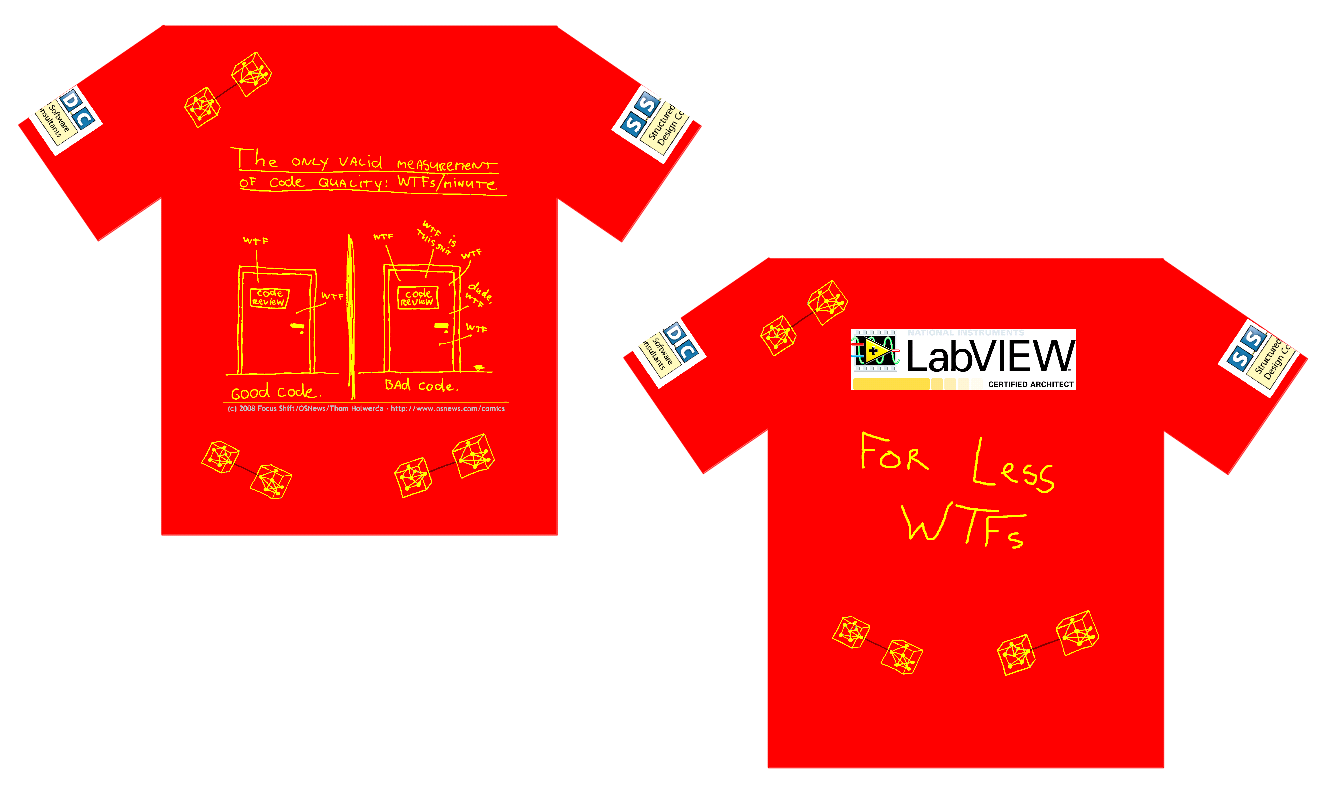
One of the things on my strange bucket list is to produce a range of corporate wear as a reaction to polo shirts with slogans such as "Delighting our customers with our passionate approach to LabVIEW solutions" or some such!....

Metrics.PNG

This one has my favorite software related cartoon, I designed it as a prize for the European CLA summit 2013 (limited run of 3, ahhhhh Paris in the spring..)

Lego.PNG

This one I designed as a joke to be worn at a specific company in front of a specific manager. (limited run of 2)

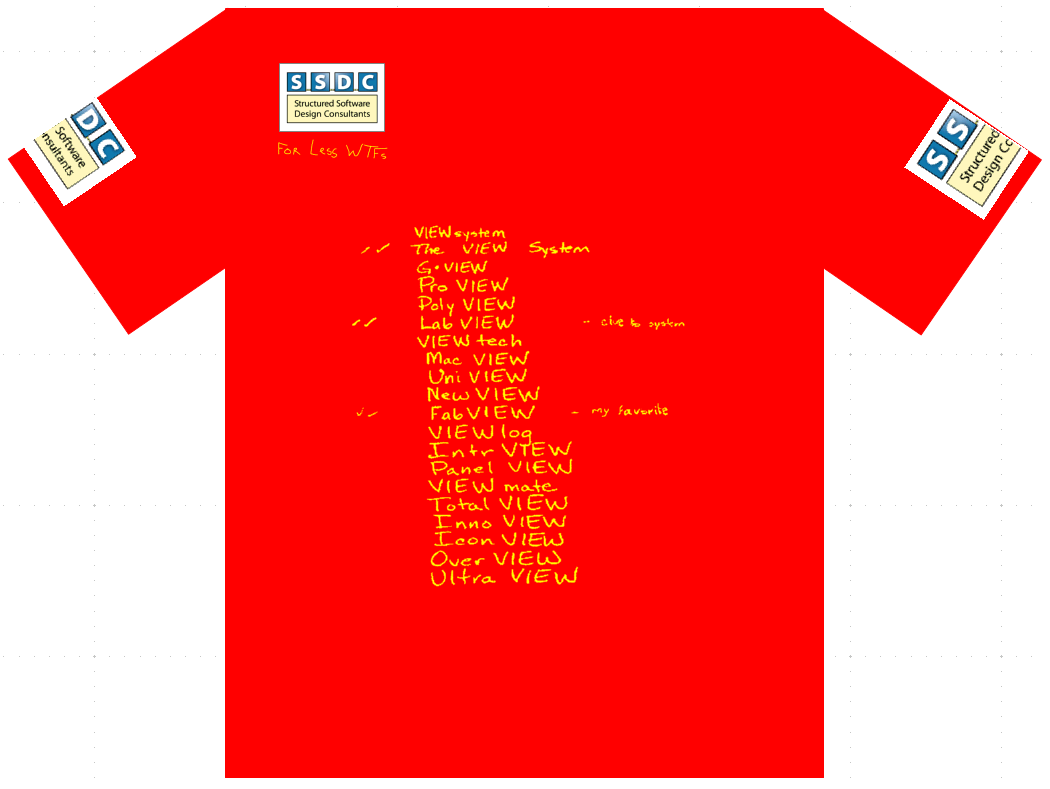
Fab.PNG

For this one I doctored the original list of names for LabVIEW, Can only be worn by people called Fabiola....or maybe Fabian. (Limited run of 1)

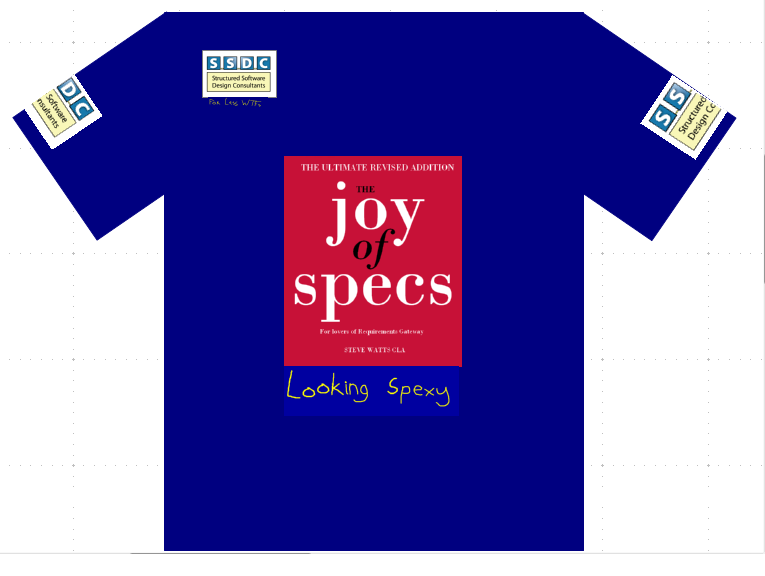
Spexy.png

Just promoting the new book, and everyone should look Spexy! (limited run of zero)

I have an extremely offensive one in my mind that involves QR codes, maybe for NIDays this year, but I'll probably chicken out, Got 2 others in the pipeline too, will post them when I've done them.

On previous blogs it was suggested that we must be doing something with action engines that others aren't and it got me thinking.....

All of our components (action engines) are designed with an understanding of coupling, cohesion and information hiding. A great deal of our book was dedicated to this subject, rather than just describing a technique. Now if you just use a technique with no comprehension of what makes a good component, state machine, class, actor etc etc I'm guessing you'll run into trouble. Another consideration is that where possible we base our components on real world objects and steer clear of abstract software constructs (for example we toyed with communication layer components for test systems and stepped away from them because they lacked clarity of design). From a coupling point of view we try to minimise communication paths and reduce dependencies, while still trying to get the block diagram to clearly represent the problem domain.

I'll keep on mulling this one over I think.

Reading Robert Glass book at the moment and in it is this quote (no-one credited for it).

Reality is the murder of a beautiful theory by a gang of ugly facts

I think it is rather apt when applied to software design.

Lots of Love

Steve

swatts
5517 Views
5 Comments

Take it as read we use LabVIEW, but what other tools do we like.

Here's a list of tools we use...

TortoiseSVN

Wonderful Subversion version control client.

TortoiseSVN.png

http://switch.dl.sourceforge.net/project/tortoisesvn/1.8.0/Application/TortoiseSVN-1.8.0.24401-x64-s...

Always use version control on your projects!!!! we like this because it's nice and easy. And it's free free free.

Codespaces

This is a paid cloud based project management and SVN repository and it is just awesome!!!

Codespaces.png

Links seamlessly with TortoiseSVN, just type in URL of repository, can set up a portal so that customers can report bugs and has nice easy project management tools.

Super fast Check Out and updates, incredible compression (25 active projects and only 210Mb used), back-ups every 5 minutes. Other cloud based repository's are available but this one has been a joy to use.

We pay $299 a year for 4 users and 2G of space.

http://www.codespaces.com/

Notepad++

I love this little text editor.

http://download.tuxfamily.org/notepadplus/6.4.2/npp.6.4.2.Installer.exe

LibreOffice

I have to say I've rather given up on Microsoft Office, I just find all the updates and licensing to be annoying.

I used Open Office for years but found that it didn't copy and paste Vector graphics into LabVIEW. LibreOffice spun out of OpenOffice and it does. Hooray!

http://mirrors.coreix.net/thedocumentfoundation/libreoffice/stable/4.0.4/win/x86/LibreOffice_4.0.4_W...

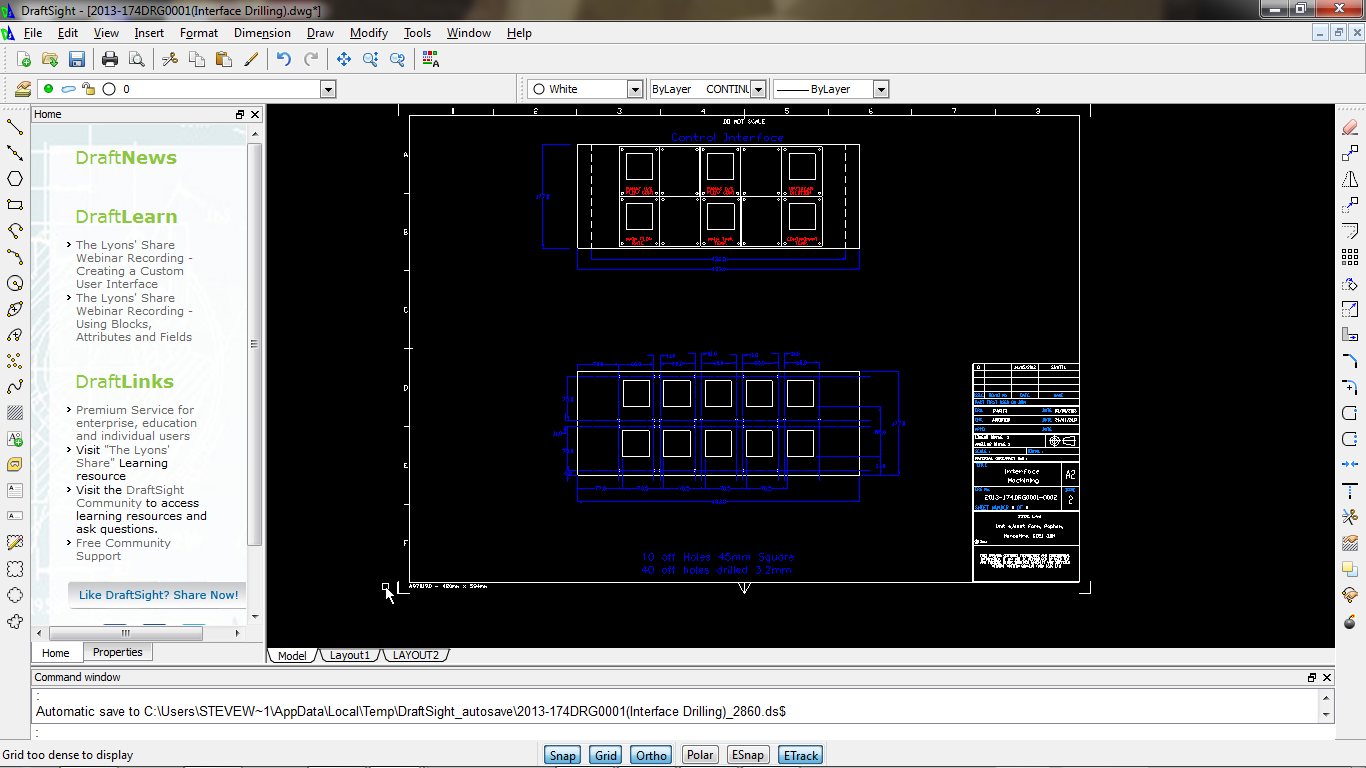
Draftsite

Sometimes we do proper engineering with drawings and everything. 2D CAD packages can be quite expensive or you could download a free/cheap one that had a ropey interface, crashes regularly and is incompatible with anything else. So imagine my surprise when I came across this little beauty.

DraftSite.png

All yours for $0 sacre bleu c'est incroyable!! (it's from Dessault)

http://dl-ak.solidworks.com/nonsecure/draftsight/V1R3.2/DraftSight64.exe

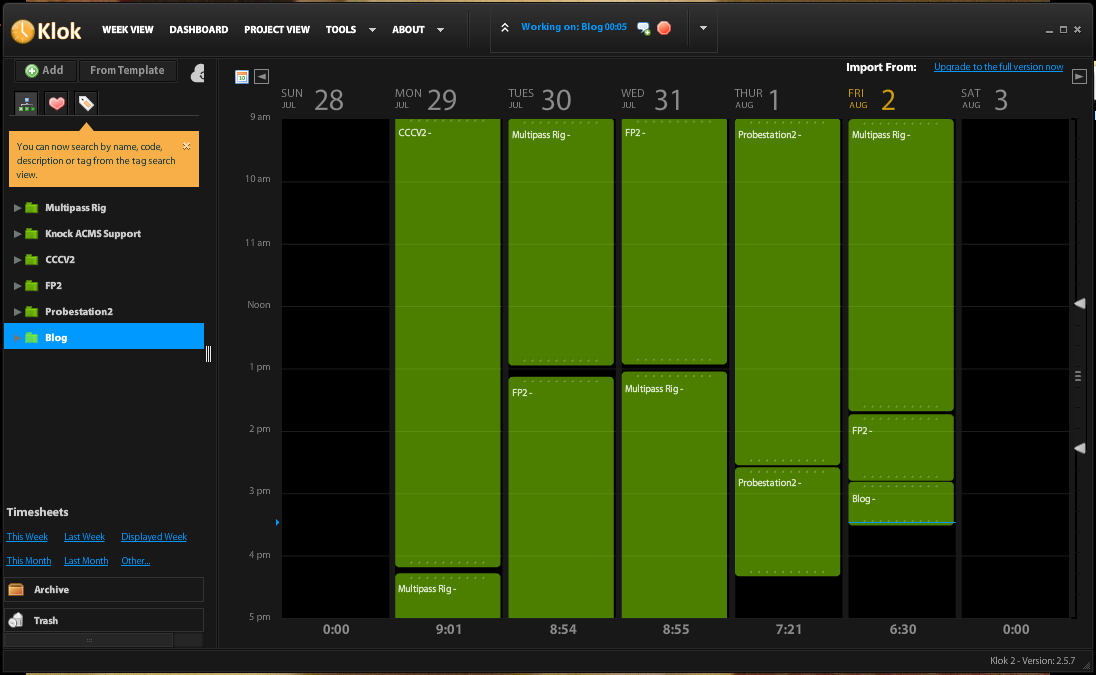
Klok

Right you cotton-headed-ninny-muggins do your time-sheet and no you can't put reading this as research!!!

But you could use this lovely little application to do it for you.

Klok.png

Click on a project to start it recording, or drag and drop to suit. Single user is free and very handy it is too.

You'll need Adobe Air (whatever that is) to run it.

http://www.getklok.com/downloads/Klok2.air

Databases

I like SQLite for small and portable and like MySQL for big and complex. The hidden gem in MySQL is the Workbench tool that ships with it.

Virtualisation

Run another Operating system in a window on your computer, it sounds like madness. Very handy for loading old versions of LabVIEW and debugging old versions of code. I don't find it so useful for initial designs when you're wrestling with everything not working.

http://dlc.sun.com.edgesuite.net/virtualbox/4.2.16/VirtualBox-4.2.16-86992-Win.exe

So what do you use and why?

Much Love and enjoy NIWeek if you are going, I'm very jealous.....

Steve Watts

swatts
5764 Views
0 Comments

Cohesion is a very important design consideration for producing decent software designs but are generally applied to VIs when talking about LabVIEW.

The types of cohesion that applies to modules (VIs), in order of the worst to the best type, are as follows:

Coincidental cohesion (worst)
Coincidental cohesion is when parts of a module are grouped arbitrarily; the only relationship between the parts is that they have been grouped together (e.g. a “Utilities” class).
Logical cohesion
Logical cohesion is when parts of a module are grouped because they logically are categorized to do the same thing, even if they are different by nature (e.g. grouping all mouse and keyboard input handling routines).
Temporal cohesion
Temporal cohesion is when parts of a module are grouped by when they are processed - the parts are processed at a particular time in program execution (e.g. a function which is called after catching an exception which closes open files, creates an error log, and notifies the user).
Procedural cohesion
Procedural cohesion is when parts of a module are grouped because they always follow a certain sequence of execution (e.g. a function which checks file permissions and then opens the file).
Communicational cohesion
Communicational cohesion is when parts of a module are grouped because they operate on the same data (e.g. a module which operates on the same record of information, a “Waveform” class).
Sequential cohesion
Sequential cohesion is when parts of a module are grouped because the output from one part is the input to another part like an assembly line (e.g. a function which reads data from a file and processes the data).
Functional cohesion (best)
Functional cohesion is when parts of a module are grouped because they all contribute to a single well-defined task of the module (e.g. a PSU class).

I'd like the discussion to move onto how these rules can apply to States in a state machine. First I guess we should define a state machine.

A finite-state machine (FSM)  or simply a state machine, is a mathematical model of computation used to design both computer programs and sequential logic circuits. It is conceived as an abstract machine that can be in one of a finite number of states. The machine is in only one state at a time; the state it is in at any given time is called the current state. It can change from one state to another when initiated by a triggering event or condition; this is called a transition.

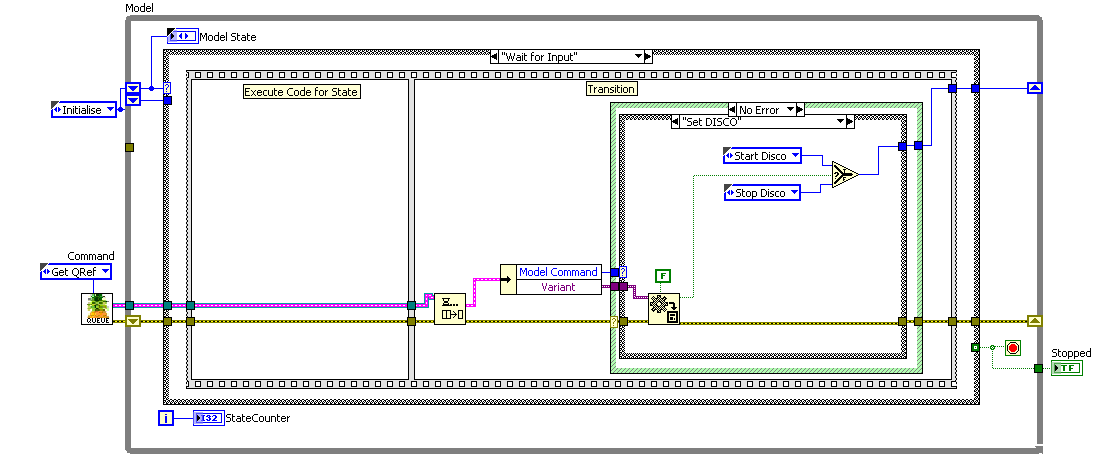
In LabVIEW terms we may be looking at something like this.

State Machine.PNG

Reading through the list above it can be seen that having clarity and purpose when defining states has the same advantages as when defining modules.

So how can cohesion apply to states in a state machine? One test I do for good cohesion of a VI is the "1 simple sentence rule".

1 Simple Sentence Rule

A VI should be described in 1 simple sentence.

With a state in a state machine I would modify to the following...

A State should be described in 1 simple sentence without logical connectives. (clue.. "Self-Test OR Test Units" is 2 states and the logic is part of the transition)

Another useful technique to consider is the granularity of the state, does it do enough to be tested.

We have worked on systems that drag states out of a database each state being a very small portion of a test. So for example each check on the results was an individual state. To do a test, get results, compare these results, print results and store them was in excess of 12 individual states in the state machine. The result was a system where it was very difficult to just do a test and get results, fault-finding was a pain.

The Yang to that particular Ying is if you have a state machine like this.

BigState.PNGSo although we can describe this in a simple sentence it's a bit disappointing. In this case the state is doing too much and any benefits of using a state machine are lost. If you find yourself making decisions and branching within your state code it's a pretty good sign that you need to break out some more states.


Localized cohesion (transitions in a state machine)

Localized cohesion is where transitions are generated near the state machine in the system architecture. This is similar to the UI equivalent of chunking and because of the visual nature of LabVIEW maybe something that applies to the block diagram too. There's a seedling of an important concept here.

So considering a state machine with transitions driven by a queue as shown earlier. We then spawn lots of concurrent processes and thoughtlessly allow any and all of them to trigger transitions, it can be seen that this will cause issues with comprehension (it's also an example of control coupling, of which I will talk about in another article). The simplest solution is to keep transition code within the state machine, obviously this is not so easy in some of the larger systems, but it should be a consideration in your design.

Another way to harm the cohesion of your state machine is with the event structure, for example it is very nice and convenient to put actions into your event structure when actually should you be firing off a transition instead? I'm framing this as a question because I'm about 80% convinced about this.

Some  oft forgotten states

Initialise State : Sets up your state machine.

Error State : We could report errors in here and make decisions about what to do next.

Safe Exit State : It's good to have a pigeon-hole where you think about how you safely exit your program. Especially true for control systems.

This is just the beginning of my thoughts on State Machine design, but I thought it would be useful to put the ideas out there as not a great deal is available on it barring the pure mechanics.

Lots of love and don't let your state machines get in a state!

Steve


swatts
3841 Views
3 Comments

If ever I want to take Prentice-Halls coin again, perhaps I should pitch this.....

JoyOfSpecs.PNG

Now that's random!!

much love

Steve

swatts
5339 Views
7 Comments

Like code smells, sometimes you can get a feeling about an organisation, these clues we've called Process Smells. They are a clue to identifying risks when estimating for a project. As I've stated before we usually try and quote a fixed price for a job, this price tends to have a contingency based on the perceived risk attached to the organization, now what risks and opportunities can we attribute to organization types.

To please the Disney loving masses I've started by describing the

PERFECT CUSTOMER

So I wake up to breakfast in bed, provided by my wonderful family, skip to work through a flowery meadow and start to work for the perfect customer.

The Perfect Customer

  1. Knows how to articulate the problem they are having (extra points for having specifications or requirements document).
  2. Has unlimited budget.
  3. And unlimited time.
  4. And lets you do whatever you want
  5. Oh and then is happy when you deliver the project

Oh then I wake up to the full horror of my day...................

I've tried to break down the attributes of organizations in a software design way, I'm sure there are different categories and as with all my articles most of it comes from my head rather than research. So please chip in with your own categories.

Technical Competence

It's sadly common now to go into a company and for there to be little or no technical skill left there. This essentially means that you're on your own kiddies.

No Technical Lead: can have the following affects on your project.

  1. You'll have to learn the product, lead the requirements, test the application, explain and justify failures and rejects.
  2. It can be hard to impress an audience that doesn't comprehend the difficulties involved.
  3. If they appreciate you and you impress, they can be very good customers indeed.
  4. Sign off can be chaotic, they may not want you to leave!

SMELL: Essentially this comes down to time, you will have to include a large contingency and assess whether you have the technical competency to complete the project.

DEODERANT: You can become indispensible, and that can be a good thing.

Weak Technical Lead: by this I mean someone who has the technical knowledge by little power in the organization.

When you come into a company full of competence and ideas it can be perceived as a threat, you may have inadvertently stepped on the toes of the person you need the most. This can be very costly especially if they are the main sign-off.

SMELL: Our job is hard enough without having to fight every step of the way, consider walking away from this situation as they will be a bucket full of insecurities, fear and frustration and it's a tough win.

Strong Technical Lead: by this I mean someone who has the technical knowledge and some clout. Make friends with this person and your project will go much easier.

SMELL: A hostile strong technical lead can be a challenge, but worth a bit of effort. Add contingency to spend some time to impress.

DEODERANT: If they come round to your way of thinking you have yourself a powerful ally.

Environment

Hostile: Some people just don't like LabVIEW and/or contractors, or old punk rockers who should know better. Funnily enough there is an opportunity here, my most skeptical, cynical, difficult customers have ended up some of my best and most loyal friends.

SMELL: Failure is not an option soldier!

DEODERANT: Win and you win big, the energy they put into their hostility will be directed at promoted you!

Friendly: Note to potential employers, be nice and we'll be cheaper.


DEODERANT: Woot we like friendly, and lucky for us most of our customers are just that!

Management Style

Democratic: Can make decision making slow, but usually a better working environment.

Dictatorship: If you are dealing with a very strong dictatorship you may find you'll end up working for a Weak Technical Lead and all that involves.

Decision Making mechanisms

Meeting Heavy: Some management book somewhere has taught companies that decisions are good, you shouldn't have a meeting without making lots of actions. These meetings should be booked regularly and involve anyone remotely interested in the project.

SMELL: Beware of long term projects done on a fixed price, this environment means the project will be constantly changing.

Technical Lead: This is the easiest way to deal with a project, an extra protection is to deal with a Project Manager and a Technical Lead. The Project Manager can then reign in some of the enthusiasms of the Technical Lead.

DEODERANT: Having this clear line of decision making makes projects run so much easier.

Sector

The different sectors have different characteristics. Here's my observations for what they are worth.

Medical: Likely to be a Meeting Heavy environment.

Aerospace: Having worked in Aerospace for most of my life I would suggest that Aerospace companies can be completely bogged down by paperwork, which in theory should be feared, in practice everyone finds ways of working around it. Find the company expert on getting round the system and you're in business.

Military: As above but a bit slower.

Academic/Research: Academia is used to getting it's code written for free by under-grads, generally quotes are met with shock. If you get the job, cost in for constant change, it's research dammit, they are bound to play around with requirements.

Company Size

Small company: <20 people

SMELL: Your costs may be a very large part of their budget, make sure they can pay before you start. Consider getting money up-front, small milestones etc etc

DEODERANT: Less bureaucracy, faster decisions all ease the development process.

Large company: Got their own accounts department the big show-offs.

SMELL: Factor in extra costs for bureaucracy, late payment, changes of management. Sometimes they won't understand the costs and risks that smaller companies/individuals undertake.

DEODERANT: They may have more work for you to do, they can pay you.

Who holds the power

Increasingly some departments in a company forget they are there to help and service the important business of doing business and find themselves dictating to everyone else. For example considerable time has been wasted by strange edicts from the IT department. Yes I'm looking at you IT department who wouldn't let cRIO into the company without McAfee Antivirus loaded on it! And you IT Department who furnished us with a 10 year old server to do a job because they had put a ban on buying new computers!!

Other Smells....

SMELL: Picking apart your quote and asking you to justify each item in great detail ..... an indicator of trouble to come.

SMELL: Interrupting a meeting to make my colleague re-park his car to the company standard!!!....I suspect testing on that project will be hard work.

In our experience the best relationships with customers is when it is a partnership and we all look after each other.

Lots of Love

Steve

Thanks to Justin Goeres for the title. Fabiola, CRelf and CRoebuck for their input. And all my customers I love you really

swatts
5392 Views
2 Comments

In the blog before last it was suggested that it would be beneficial to run through a typical job. Bit of a dry subject if you ask me!!!, to liven it up I've done some more cartoons

Here's a few statistics about us, not for ego reasons (although we're awesome), but just to give a feel for the kind of business we run.

We have about 50 customers on our books.

They are mostly in Aerospace, Automotive, Military, Manufacturing, Academia and Transport.

We like repeat business and most of our work is fixed-price, we do both hardware and software.

Splitting our work into small, medium and large flavours (2-4 man weeks, 5-16 man weeks, 17+ man weeks) it's about 20:40:40 at a guess.

90% of our jobs have no specification at the start, generally it's a discussion, referenced to existing systems. The level of paper-work we do rather depends on our understanding of the job or our relationship with the customer.

We usually provide a target specification and quote (essentially telling the customer what we will deliver and how much it will cost), fairly often we do an initial milestone where we do feasibility, design reviews and provide a final cost.

95% of our projects don't need anything dynamic or concurrent. Is that because we only get simple work or that we choose to work simply?

ShieldsUp1.JPG

We tackle the risky parts of the project as early as possible.

So I thought rather than live in a world of Unicorns and Rainbows I would run through a project that went averagely, rather than badly or perfectly. Most importantly we made money and it transpires that the customer thought it might never work (which was nice of them!).

Brief Description of System

It's a filter test system consisting of 2 controllable fans, 2 servo valves, loads of transducers for logging, control and calibration, some relays. It will be used for experiments as well as stepped testing. The control algorithm is a contrived calculation of 1 or more of the transducers.

A couple of meetings and an exchange of paper-work and we we're up and running (although a little cost constrained). We would provide the instrumentation, the software, the tools to set up the system and documentation.

Our general approach is as follows (with variants depending on the risks)

  1. Requirements Specification
  2. Target Specification/Proposal/Quote
  3. Prototype screen/Design Review
  4. Engineering Screen – Allowing customer to test the hardware wiring, control system etc.
  5. Alpha Test – Off-site approval
  6. Beta Test – On-site (usually cycle through a few Beta versions in fairly rapid succession)
  7. Final Release
  8. Support.
ShieldsUp2.JPG

We have a general application template in our armoury that is useful for 80%+ of our projects and this consists of the following functionality.

Wizard based front panel, consisting of initialise, event structure, state machine and Queued Message Screen update.

This has several built in components as described below, you can guess how they are built from my previous blogs.

Config

ConfigComponent.JPG

This component handles all configurable items, via an enumerated type called parameter. To add a new parameter just add an item to the enumerated type

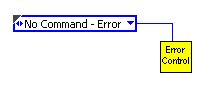
No Command – Error

This the default condition and will get quite indignant if called.

Initialise Config to SQLite

This command sets the configuration instance to  use the SQLite database. Other databases and file type ini methods are available.

Save Config

Saves and up-issues the configuration database

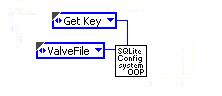
Get Key

Gets a key as selected by parameter

Set Key

Sets a key as selected by parameter

Update Key

Updates a key in the database without up-issuing

Get Latest Config Data

Caches configuration data

Get Config Data for Version

Gets configuration data for a specific version

The supporting cast for this component consists of database components as described in previous blogs, and an intermediate component that does the SQL.

Error

ErrorComponent.JPG

This component handles error reporting in a fairly rudimentary manner.

No Command – Error

This the default condition and will get quite indignant if called.

Set to Dev Mode

In development mode it loudly complains.

Set to Released Mode

When released it stores errors to a log file.

Set Error

Either throws up the dialog, or files the error depending on mode.

Log Error

Forces a file store.

Throw Error

Throws up the error dialog

Log and Throw Error

Does both

Set Error Timed

Throws up the error dialog, for a preset time.

UI Control

UIComponent.JPG

This component passes commands to the UI update loop, there are several versions of this component, but they all perform similar functionality.

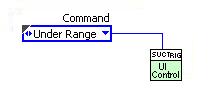
Under Range

This the default condition and will get quite indignant if called.

Exit

Close the queue and exit

Get FP Setting

If anything is on the Q, pass it out.

Get Q Ref

Pass out the Q Ref, just the once to allow it to hold the UI Loop.

Set Status

This is a command to send text to the status text box on the main screen.

Set Tab

This selects the tab to be displayed on the main screen (how we get our wizard going)

etc etc

Screen update command as required, all screen updates should ideally go through this component.

As mentioned earlier tend to push risks to the front of our projects and for this one the identifiable risk was that the control system wouldn't work. We didn't want to be held liable for a system we had little expertise in, with this in mind we required that the customer pay for the hardware, prototype screen and engineering screen.

The prototype screen is essentially a button functional screen that allows the customer to navigate around the system. By using this template we can get a prototype screen together in a matter of hours (we usually allow a day for this size of project).

The cost constraints of the project made us go for 4 process controllers using RS485 to talk to them. We insisted on Ethernet cDAQ for the measurement system at least!

The biggest risk here was talking to the process controllers and therefore that should be tackled first. It was a standard modbus communications and we had a component for that to reuse. This component was then called by the process controller component.

Flattery.JPG

Process Controller Component

iseriesComponent.JPG

Communicates to any  process controller on a single port.

No Command – Error

This the default condition and will get quite indignant if called.

Initialise

Set Setpoint 1

Get Setpoint 1

Get Process Variable

Set Proportional

Get Proportional

Get Setpoint 2

Set Setpoint 2

Reset

Get version

Get Bus Format

Set for RS232

Set for RS485

Get Derivative

Set Derivative

Get Integral

Set Integral

Get Output Config

Set Output Config

Get Input Config

Set Input Config

Get Alarm Status

Get Reading Format

Set Reading Format

Get Input Scale

Set Input Scale

Get Cycle Time

Set Cycle Time

Close All

At this stage in the project I was expecting to use auto-tune to get the PID parameters and also to set the controller up completely different for each test/filter. Hence the over-load of functions for this component.

For convenience this component was then wrapped in a batch controller component that did stuff to all 4 controllers.

Components to talk to the measurement system were also written. These were essentially DAQmx tasks wrapped up in components that describe the system. i.e. Control An Ins, Measure An Ins etc etc.

With these written and tested, a manual screen (engineering screen) was produced that gave access to the available hardware functionality and the system was delivered to the customer. This allowed us to get paid for the first milestone and to test some control set-ups.

The initial plan (I was sceptical) was to do closed loop control the fans and the servo valve, it transpired that servo valve could not be controlled in a timely fashion by the process controller for all the variations of test. Also the Fans and Servo valves squabbled causing instability. The process controller set up software was extremely poor and they were a bit more stupid than expected.

After too much time playing with the system we came up with a method that worked and controlled very nicely.

We then added components to handle calibration data, Valve setting lookup, set-up wizard display, Apply Closed Loop Calculation, Orifice Plate dB. A component was also added to Queue up Hardware commands to free up the control algorithm from slow communication operations.

Sympathy.JPG

The Beta system was then delivered and an intensive session of testing was undertaken.

Competition.JPG

What went well....

The system was delivered, working, when the customer needed it, we got paid, customer pleased.

What went badly...

The process controllers cost a great deal more time to get working and set-up satisfactorily than expected.

The agreement that the customer do all the testing and setting up of the system didn't transpire how we expected. In the end we pretty much did it all. This cost us about a week. On the upside we are now the system experts.

From a design perspective I think I over-used value signalling (a quick bodge to convert the manual screen to an auto-test screen). It all worked wonderfully but I found it made the software harder to read.

Sucker.JPG

That felt a bit like homework, so don't expect me to write many articles like this!!

Hope it's of use to those that requested it.

Lots of Love

Steve

PS the cartoon is reasons not to take on a job, I'm sure there are more (7 Deadly ones for example!)

swatts
7594 Views
21 Comments

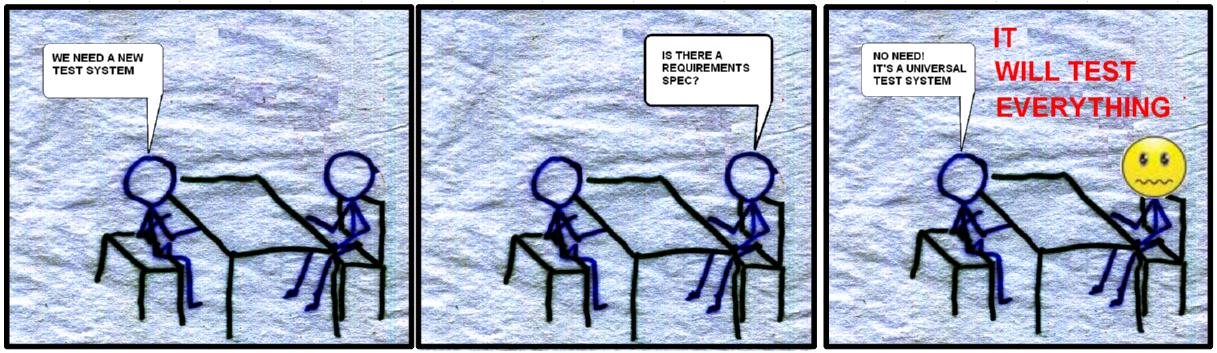
Cartoon time (based on a true-ish story)

Cartoon1.JPG

Words to look out for in requirements specs....................

Universal,  flexible, futureproof, so simple that no skill is required to operate, delivered yesterday, bug-free

Adverbs like completely or absolutely.

Robust software costs $$$$, Completely robust software costs $$$$$$$$$$$

The double whammy ... flexible and easy to use. Design is a compromise between flexibility and simplicity, don't put them together, they will fight!

Cartoon2.JPG

The universal test framework was brought to you from a bar in Paris by.....Marcus Johnson, Pierre-Yves Le Bas, Martin Peeker and me.

The blog hasn't been nearly random enough, so this is my bid to get back random points.

Something less surreal next time.

Much Love

Steve

As with all these blogs, please add words to look out for in the comments, I'll steal them and claim them for myself (if they are good!)

swatts
20232 Views
31 Comments

The discussion on functional encapsulation and all the comments got me thinking....

I've been working this way for any years and have got used to the limitations of the action engine, but what if I had it all my own way.

The stated limitations are...

  • Managing Un-used connections
  • lack of inherent scaleability
  • people prefer lots of coloured wires
  • people prefer functional decomposition (i.e. lots of non-cohesive functions acting on data)

Now the latter 2 we view as a design weakness and they view as a strength and therefore it comes down to who's biggest. Actually in the end if you are writing great software in whatever method it doesn't really matter. So if you don't mind I'll concentrate on the first 2.

So in my blue sky world LVOOP would go like this.

From some point on the Functions Palette, quick drop, Tools Menu or Project instantiate a new object.

This will give a list of the classes in the project and allow 1 to be selected.

When selected the object will drop on the block diagram and it will get a new instance name, this instance name can be changed to better suit the problem.

Instantiate1.PNG

The first 2 blocks on the menu would be standard for all classes.

Go to Class Diagram--> will bring up the UML diagram for the class, similar to the Symbio tool.

Changes can be made to the classes and then we return to the block diagram.

Create new instance -->does what it says - this will give us some simple scaleability.

--------------------------------------------------------

Get Ref -->this will allow standard LVOOP to work

Class ID, Class Name and Get Instance Name-->basic housekeeping

--------------------------------------------------------

Initialise-->Close these are the main PSU classes methods

--------------------------------------------------------

Set Over-current and Set Over-voltage-->sub-class methods for new capabilities

The data encapsulation of the class will be globally assessable inside the scope of the object instance.

The method selection will set the inputs and outputs as in a polymorphic VI.

So finally we'll get back to our familiar diagram.

Instantiate2.PNG

Is this too ambitious to put on the ideas exchange??

I think that's just about enough action engine stuff for the next year or so. My next blog will be a cartoon.

Hugs and Kisses

Steve

swatts
13833 Views
22 Comments

So back from the Paris CLA summit full of ideas and material, saw some superb presentations (Kudos to all!) and had some very interesting discussions and debuted my new line in Mildly Offensive Corporate Wear.

One of these discussions occured about 4am after a few beers and made me go back and do some research. It is showed up something I've been troubling myself with for a little while now and it all centres around encapsulation.

Encapsulation Defined

In programming languages, encapsulation is used to refer to one of two related but distinct notions, and sometimes to the combination thereof:

  • A language mechanism for restricting access to some of the object's components. (data encapsulation)
  • A language construct that facilitates the bundling of data with the methods (or other functions) operating on that data. (functional encapsulation)

As an information hiding mechanism

Under this definition, encapsulation means that the internal representation of an object is generally hidden from view outside of the object's definition.

A benefit of encapsulation is that it can reduce system complexity, and thus increases robustness, by allowing the developer to limit the interdependencies between software components.

So for this blog we will be looking at a Power Supply Unit as an easy reference point.

In Traditional LabVIEW you'd have a palette.

PSUPaletteStandard.PNG

These VIs can then be placed around your program linked by the VISA reference.

So do we have encapsulation because the VIs are on the palette? -->correct answer is no.

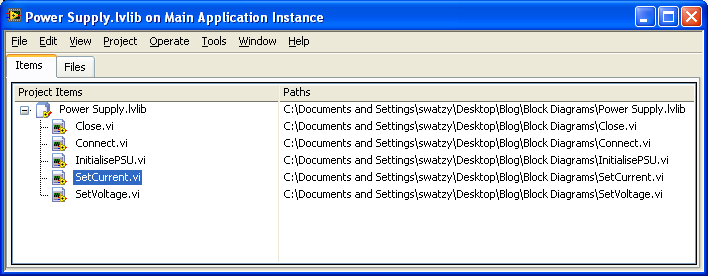
I've stored them in a LVLIB....

PSULVLIB.PNG

So do we have encapsulation because the VIs are in an lvlib? -->correct answer is no, but we're getting better.

So how about LVOOP PSU Class (this is going to end in a heated debate)

PSULVOOP.PNG

Well is this encapsulation?-->correct answer is no, but we're getting better again, this has got data encapsulation, i.e. you can only get to the data via a method.

We are interested in functional encapsulation where it is a language mechanism for restricting access to some of the object's components.

From our design perspective.

PSUStd.PNG

Block diagram A gives no better encapsulation than block diagram B below

PSUStdLVOOP.PNG

This is still functional decomposition.


Our method of encapsulation is similar to the design of the OO language Smalltalk.

When an object receives a message, a method matching the message name is invoked.

http://en.wikipedia.org/wiki/Smalltalk#Methods

So when we keep banging on about wrapping stuff up this is one reason why!!

So here's our implementation

PSULCODStub.PNG

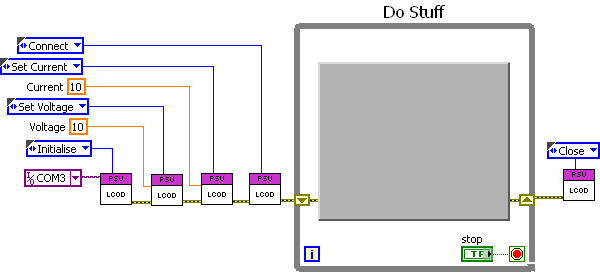
This is functional encapsulation, there is a PSU VI (action engine), the implementation may be LVOOP, standard LabVIEW, dlls, activeX or anything else. The implementation details are hidden. Scaleability is also an implementation detail. This VI would then be called by higher level action engines, say for example a Test System vi.

Now the arguments are why put in the extra effort of wrapping everything up like this. Our view is that the block diagram is the mechanism for navigating and understanding the sourcecode, only the items pertinant to solving the problem are visible. If you want to change the order of the methods you just need to change the messages, or you can drive them from files etc etc.

Hope this helps

au revoir
Beaucoup d'amour

Steve Watts

swatts
9236 Views
0 Comments

Hello Kiddies,

We have a very special surprise for you today, a combined blog by me and Jon Conway!

Database design

What is a database and why do we care?

From wiki - " A database is an organized collection of data. The data is typically organized to model relevant aspects of reality (for example, the availability of rooms in hotels), in a way that supports processes requiring this information (for example, finding a hotel with vacancies).". For us it enables us to collate data in a defined manner.

Two main uses for a database in test and measurement - limits and results.

  • We store how we want to run/control the ATE and what limits to apply to the results, then the database where those results will reside.

  • An important issue is ensuring that the databases always show how a unit was tested, even over the evolution of the test specification. This means never deleting any records, but using version numbering to ensure the database is always accurate historically.

  • Over time a well designed database will give a huge insight into production.

What does Database Design actually mean?

Our interpretation of initial database design is looking at the data and abstracting it down into the Third Normal Form.

Third Normal What?

TNF.PNG

Essentially this is where we abstract the information into their cohesive entities/components. Each table therefore exhibits cohesion with respect to the data it is holding, further compounded by the rule (this is were 3NF is satisfied) that all the fields are closely related to the primary key, or put another way -  " every non-key must provides a fact about the key, the whole key, and nothing but the key" ( taken from quote by Bill Kent).

Putting it all together - ERD

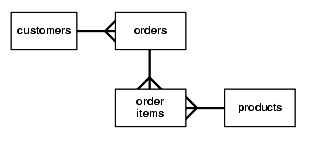
ERD.PNG

Entity relationship charts enable a design to be displayed diagrammatically.  An ERD enables you to map out the abstracted elements of the database, name them, and define who is linked to what (relationship). It is nothing more than a picture, you can draw it or use whatever tool you like. JC often uses Microsoft Access to prototype my database, define the relationships and draw the ERD. SW uses MySQL Workbench (left).

Design in the vertical, not horizontal plane.

This is a common design issue. Lets say you have a measurement of voltage, and you store this in a field called volts. Then a new requirement is that you store current, so you add a new field called current. By adding a new field you have changed the underlying design of the table, with various potential effects (relational integrity, impact on test software, related databases etc.)

This is what we would deem a horizontal design, where new data is added horizontally across the table. A better approach would be to design a table that describes a type of reading and it's associated result. So an attribute field would hold the reading type e.g. in our example volts and current), then when a new reading type needs to be added, for example impedance, it is simply a new entry and not a design change. If your database had fields named Widget1, Widget2, Widget3 you are on the wrong plane.

Always strive to design in the vertical.

Other helpful design stuff: -

Single valued facts. Making a list of facts about the database can be very helpful, they are akin to requirements, but at a lower database level e.g. The results table will hold all measured values.

Shoot the auto number - how can any table that includes an automatic number as its primary key exhibit relational integrity? Many relational database systems allow an automatic numbered field to be the primary key. If this is the only element of the primary then this is BAD ... duplicates here I come.

Got the database, what next?

Communicating with the database

We use good old fashioned SQL.

Why: -

  • It's a standard that every relational database system will understand.
  • Does not tie you to a particular product or technology.
  • It's relatively easy to understand
  • The LabVIEW interface is simple.

It is always a good idea to extract your SQL strings into a separate config file. Generally a relatively small set of SQL statements will serve a vast amount of any application. However, consider your embedded SQL code needs changing, say a field has to be renamed, you will have to hunt down all the occurrences of the relevant SQL strings. Far better to keep the SQL detail in a config file and use an interface component, via an enum, to pick off the relevant statement e.g. We want to select a customer from the customer table: -

SQL config file entry - Select Customer = " SELECT custName, custaddress, custContact FROM tblCustomers WHERE custName = '%s'"

To select the customer we want we simply use the string read form the confug file fed into a 'Format into String' vi to substitute the %s for the relevant field. Alternatively we can use a string pattern instead of %s and use the Match Pattern vi.

Mantra - abstraction in the code, detail outside the code.

DESCRIBE

Some databases (MySQL) have a very useful statement called DESCRIBE this allows a table to describe itself. Similar functionality is available in SQLite by querying the database description tables or SQL Server via a special function call. This allows us to write generic browse interfaces that can edit, insert etc. Maybe I'll talk about this in a later blog.

Lots of Love

Jonny and Stevey

PS If you understood the daft intro you too lived through the 1980s UK as a kid.

Apologies for the lack of LabVIEW but we felt that databases are becoming more important these days, so a little time spend here will hopefully pay dividends later.

swatts
3993 Views
4 Comments

Today I thought of an analogy to describe what I was doing to a bit of code. It had been handed around, added to and re-used and had come back from my customer with some additional requirements to do on it.

It very nearly did what was required  but not quite, so I found myself adding, adjusting and messing with the logic. I did all this with an air of frustration because I knew it was getting a bit smelly. I also really hate re-writing code.

It occured to me that this is like re-painting a door by just painting over it, eventually it ends up a lumpy unpleasant mess.

What I did was get the code-stripper out and had a look at the actual requirements, strip out the old code and re-write. It took an hour or so with lots of testing but I ended up with nice, easy to understand block-diagram. This paid dividends on delivery to the customer because they promptly found a load more new requirements for it, all solved nice and easily.

Code Smell#5:Over-painting

Code Deodorant/ Code-Stripper: Stop tweaking and go back to the requirements!

Only a very short blog today, but coming soon is a joint effort by me and Jon Conway, the first thing (apart form Christmas Cards) we've co-written for over 10 years.

Lots of Love

Steve

swatts
16362 Views
31 Comments

I'm a slow adopter


My business is to deliver code to customers that is robust, easy to understand and reasonably priced. I've used LabVIEW for years now and have found it to be very helpful and intuitive to use. I've also found the graphic nature of it to be very useful when demonstrating and evangelizing it to customers. This makes me very protective, fairly conservative and sensitive to any developments that in my opinion reduce the comprehension of the block diagram. Many moons ago when LVOOP was introduced I was shown a demonstration in which I couldn't understand the block diagram, this worried me greatly. Bearing in mind I'm not a stranger to OOP having done Smalltalk and Java this was not a positive introduction.

I went back to my day job, wrote code and ignored it, but I don't like to just dismiss something without understanding the WHY....

My big problem was that I saw LVOOP as a replacement for our own methodology but didn't see it addressing the issues of poor design practices, in essence a badly designed OOP program is actually harder to work with than a traditional badly designed program.

Regarding cohesion for example, in LVOOP a method is a VI in a library. For us a method is a message you send to a component. It just wasn't cohesive enough to fit into our designs.

In seeing this as an issue I was completely wrong, National Instruments is a tools provider and as such need to provide tools that lack cohesion, we as designers need to take these non-cohesive tools and make them into cohesive designs. Once I got my head round this things began to drop into place.

LVOOP and LCOD

The things that make LCOD a successful methodology for us are ….

  1. Message Sending.
  2. Persistent Private Local Storage (not FGVs!!!!).
  3. Cohesion... Collect together all like functionality and hide it behind a common interface.
  4. Coupling... Unnecessary data is not passed around on the block diagram.
  5. Information Hiding - the implementation is abstracted behind the common interface.
  6. Clarity and simplicity.
  7. Flexibility - changes to functionality are hidden behind the interface, additions are confined to updating the message to the component.

LVOOP can offer the following advantages

  1. An object persistently holds its own data, this is kept private and can only be accessed through the objects methods.
  2. Inheritance/dynamic dispatching can reduce maintenance for similar functionality.
  3. UML offers a common diagrammatic language for communication of ideas and patterns. This is a huge and under-utilised advantage
  4. Dynamic dispatching allows different functionality to be implemented without changing the block diagram (advantage and disadvantage it could be argued).
  5. Abstraction is more formalised and therefore more likely to be considered early on in the design.

LVOOP can offer the following disadvantages

  1. Implementation detail is too small/ non-cohesive. So a block diagram will be very deep with not much happening at each level. A method=1 VI.
  2. Lots of references passed round the block diagram.
  3. Implementation is FIDDLY! This could just be the learning curve, but simple things seem hard! (I did my initial work using LabVIEW 8.5.1 and prior to LabVIEW 2009 LVOOP was considerably harder to work with)

By combining the techniques we may be able leverage the advantages of both methodologies.

LCOD Implementation Improvements

One drawback of our implementation of LCOD is a component can have inputs and outputs that are not required by the message, this can lead to mistakes and confusion in the wiring. The solution so far has been to limit scope, use variants, clusters or strings, this can be seen as stamp coupling. Polymorphic VIs may be the solution using single element queues named to the main VI to store local data. Group commands together to common up inputs and outputs.

LVOOPLCOD1.PNG

This is an example of our Polymorphic component, The Initialise command  will instantiate the class type . We have an Initialise command for each different instance.

dBClassDiagram.PNG

Making Classes is sooooooooo much easier using Symbios toolkit!, above  is the UML of the class structure used by the dB component.

As the component is polymorphic I need to be able to store the object in a mechanism that can be accessed by multiple VIs. Naming queues is a bad thing (essentially it's a global variable if you know the naming mechanism), but in this case I went for simplicity and used the polymorphic parent vi name.InitialiseCommand.PNG

The other disadvantage of LCOD that I am sometimes presented with is that it lacks scaleability, as far as I'm concerned this is just another implementation detail. For example there is no reason that the data stored in the queue above shouldn't be an array of objects, referenced by an enumerated type.

The big and I mean BIG thing (why am I the only one who gets excited about this stuff) is that the most important thing is the interface, the implementation is hidden away behind it and that my dear friends is the difference between a design methodology and just writing code.

This is a very brief summary of what was a long journey, but now I'm pretty happy with where we are at.

Lots of Love

Steve

Anyone even peripherally involved with computers agrees that object-oriented programming (OOP) is the wave of the future. Maybe one in 50 of them has actually tried to use OOP – which has a lot to do with its popularity. Steve Steinberg, "Hype List", Wired, Vol. 1, No. 1, Mar/Apr 1993

swatts
9322 Views
12 Comments

We're funny creatures us programmers, I suspect LabVIEW programmers might be a strange subset of a strange breed.

In the years I've been in the industry I have come up against some interesting characters, hired some and fired some. So in the style of a wildlife documentary here's some of the stereotypes I've spotted. Starting off with the most deadly examples.

The Crooks

The Fake - Fred Brookes says that a poor programmer will be 10x slower or more than a good programmer. I would go further, I have seen projects go backwards and fail because of poor programmers. I would suggest also that the ease of entry to the world of LabVIEW allows people to appear a whole lot more competent than they really are.

The Owner - Any programmer who hides their code should be sacked, it's as simple as that.

The More the Better - Paying Programmers by the hour has some disadvantages, one of which is they tend to work to the time and not the problem. I had a system to support about 15 years ago written by an hourly paid contractor, about 50% of the code was checking all the hard-drives to make sure they were the correct ones, which begged the question how the hell would it have worked without them!.

THESE ARE DANGEROUS AND SHOULD BE ESCORTED FROM THE BUILDING

The WTFWereYouThinkings

This family of lazyass ugly non-designers are my pet hate!! They are named after an Irish fella at an NI-Days who was showing off his code, the Front Panel was a brown background with a green array falling out of the bottom of the screen. It was OK tho' because the screen had a scrollbar on it! Anyways I politely asked what the application was being mild mannered and pleasant, my friend from another Alliance Member company came over and declared loudly "WTF WERE YOU THINKING!!!". How we laughed.

The Blunderbuss  - No need to use the mouse, just load up your Blunderbuss with VIs and fire them across the room. Commonly heard saying things like "Oh I'm too busy to tidy it up"

PrairyProgrammer - Even more baffling is when I open a block diagram and all I see is white white and more white. So called for their love of wide open spaces. Makes my RSI hurt just thinking about it.

IMAXProgrammer - Hierarchy is for wimps! real programmers have one huge diagram, obviously can only really be appreciated in an IMAX cinema. (c) Mad Bob McMad

Crammer - The enemy of the PrairyProgrammer can fit the IMAXProgrammers block diagram on the back of an atom.

If it is not their first program (we all should be forgiven our first program), ESCORT THEM FROM THE BUILDING, call me I'll do it for you.

The Geeks

The Syntax Jockey - Enthusiastically embrace every new tool, whether or not the problem needs it. Will fly through the CLA and CLD exams as they have remembered every last strange little issue in functions no-one has ever used.

The Genius - If you're a genius every day you're doing the wrong job, code written by The Genius is usually indecipherable to mere mortals, sometimes The Genius comes out in normal people and they write some spectacularly clever code. When your brain comes down from genius levels throw this code away, you won't regret it.

THESE CAN BE DANGEROUS, MILD PRODDING WITH A POINTY STICK SHOULD BRING THEM BACK IN LINE.

The Timewasters

The soapbox kid - C++ is the only language, if you don't program in that you are goats droppings, no! no! no! LabVIEW is the future lets post a discussion on the forum and thrash out the merits of each....Nah let's not. You don't hear mechanics arguing about which is best a wrench or a hammer, they are just tools. It's really not something to get political or religious about. The best argument is to write nice, robust and maintainable code quickly.

The not invented here - Sometimes as a contractor you will be put in a hostile environment, the instigator of this hostility is usually crusty, old and a bit fearful. They will hate anything you do. All you can do is deliver good code, eventually you may earn grudging disdain. Beware if they are the signatory for your project.

THESE CAN WASTE A LOT OF TIME ON A PROJECT, TIME TO REACH FOR THE POINTY STICK.

The Project Managers Nightmare

The Optimist - Do you factor in all the things that regularly get underestimated when you are costing/scheduling a project. Here's some things that can be missed.... Documentation, Testing, Hardware that doesn't work as expected, customers who can't communicate requirements, Reporting, Error Handling, late changes. Symptoms are late delivery, poverty, unhappy customers, missed deadlines, stress.

The Puppy - The Puppy is eager to please, this is not a bad thing it just needs to be managed. I'm going to be controversial here...the customer is not always right. As the designer it is up to you to guide them in the right direction and not pander to their every whim. Sometimes they will ask for something that will weaken the design, resist or at least make it eally expensive. Cost is usually a good test of how much it is required.

THESE ARE COMMON AND NOT ENTIRELY BAD TRAITS, IDENTIFY AND MANAGE.

As well as being an amusing exercise, it is interesting to note the traits that apply to ourselves.

So what are you?

Love Steve

PS At first I was a Syntax Jockey, now I think I am an Optimist and a Puppy. Some would say I was A Soapbox kid. Only ever been a Genius once.

http://www.aaronstannard.com/post/2013/12/19/The-Taxonomy-of-Terrible-Programmers.aspx

“The best programmers are not marginally better than merely good ones. They are an order of magnitude better, measured by whatever standard: conceptual creativity, speed, ingenuity of design or problem-solving ability.”
—Randall E. Stross

swatts
4551 Views
5 Comments

One of the traps graphical programming can spring is that sometimes the elegant and fun interface can lead you into bad design decisions.

A common one for me is tinkering with logical decisions until I end up with something like this...

ComplexLogic.PNG

I sometimes view the block diagram as a conversation between you and another developer (and as Fabiola De la Cueva asserts, it's good to think of this developer as a psycopath who knows where you live). Now the conversation for this bit of code goes something like.

IF (OpenCCT Detected NOR SOC Detected)

AND

((Keyswitch=Remote AND Source NOT=RT Localhost)

OR

((Keyswitch=Local AND Source=RT Localhost))

OR

(OP Power Setpoint=0)) THEN do something..

I can envisage Fabs psycopathic developer reaching for his axe sharpener.

So what are the alternatives when complex decisions are required?

I personally prefer words and nested case statements using enumerated types.

LessComplex.PNG

It's more readable and less likely therefore to have errors. These 2 statements are related!

Some people prefer look-up tables, decision matrices etc etc. I suggest these should be implented using a single VI with all the inputs brought in. A test-stub can the be used to exercise all the combinations. The output to this VI should be an enumerated type describing the decision made.

Code Smell#3: Complex Logic  

Code Deodorant: A Case should be described by one simple sentence that can have 1 AND or 1 OR in it. Where possible use words rather than boolean or Maths to make your decisions.

The other thing that commonly causes issues in code is negative logic.

The human brain is a positive thing generally, negative logic causes problems in understanding and therefore bugs.

Code Smell#4: Negative Logic  

Code Deodorant: Right-click on the case statement, bring up label, and write the logical description for the TRUE case. This simple thing has saved me hours of head-scratching and improved my handling of decision making.

Also avoid NOTs etc where possible.

Lots of Love

Steve

ooh pithy quote....

Debugging is twice as hard as writing the code in the first place. Therefore, if you write the code as cleverly as possible, you are, by definition, not smart enough to debug it.

— Brian W. Kernighan and P. J. Plauger in The Elements of Programming Style.

swatts
4789 Views
2 Comments

“Examinations of typical programming projects will show that, over the duration of the project, programmers spend over 50% of their working hours looking for and correcting their mistakes. The usual 'solution' for this is remarkable.....

We try to solve the problem by rushing through the design process so that enough time is left at the end of the project to uncover the errors that were made because we rushed through the design process”

Glenford J Myers 1978

I've had the good fortune to look at  lots of software in a variety of languages in my career and it is endlessly fascinating, and when I talk about design to some perpetrators of bad code a common response is that oh! design is not black and white, there is a grey area. This got me thinking.....

Design.PNG

In quite an angry moment I drew up this representation of what I have experienced, I think design is various shades of brown, a small grey area and an even smaller white area. The brown area is various shades of awful.

The time graph can also be viewed as a cost graph and it is the cost throughout the lifecycle of the application. Disclaimer:This is based on my experience and not research.

So looking at a brown project.......

It's a classic code and fix job, tight coupling makes the code brittle, inflexible and hard to change. Lack of cohesive modules and poor abstraction makes the code hard to understand. So 95% of the project time is used up and 95% of the code is written. The last 5% of code will not take 5% sadly, you'll be adding functionality to code that will be resisting you. Bugs are hard and expensive to find, tight coupling means changes made will ripple outwards causing unpredictable results in related modules. Simply put, it takes a lot of time, effort and cost.

Compare with a grey project.......

It's had a bit of modular design applied to it, this design work gives the architecture flexibility. Changes can be made simply and easily at the end, when most customer input is usually given. The design work makes the code easy to understand, therefore bugs are easier to detect. Loose coupling ensures that changes and additions to a particular module does affect other modules.

But what about Exceptional?

One of the challenges for a designer is knowing when to stop.

So are you a designer or a syntax jockey?

A designer will be spending their time thinking about the problem that they need to solve, a syntax jockey is likely to be thinking about what new tool or technique they can apply.

Software Facts of Life

As grown-ups I think we can face the truth.

  • Software is complex
  • Software is not malleable
  • Software will have bugs
  • Software will not be fully defined until delivered

Badly designed software exacerbates these problems.

swatts
5184 Views
0 Comments

I'm getting that end of term feeling early, damn I need a holiday!

First off if you want to read a proper blog pop over to Mr Roebucks place and let him persuade you to present at the Euro CLA summit, it's being held up the Eiffel Tower in March next year. (Disclaimer: that may not be true)

http://walkingthewires.wordpress.com/2012/12/06/european-cla-summit-call-for-submissions/

So rather than do any work I'm going to list out what I've currently got in the pipeline.....


Design is not black and white!

This uses some of the material from my design course to illustrate the difference and consequence of bad design compared to adequate design.

Block Diagrams

Discusses the importance of the block diagram to the design, sounds simple doesn't it?, but actually I'm digging deep into some of the ways of designing code in LabVIEW nowadays.

User Interfaces

Looks bad smells bad!

Need I say more?

LVOOP

I'm a slow adopter, now I think I've got it! Thankyou Mr Mercer you clever thing you! Expect something on Actor Framework in 2017.

Abstraction

When you do OOP or LCOD or any modular design, you use abstraction to pick your classes, components, modules or VIs. These design decisions are important!

Complexity and Scaleability

Sometimes programmers will make their code complex to improve scaleability, I'm not going to ruin the end of this one.....

IF NOT easy AND NOT AND simple OR NOT understandable=COMPLEX LOGIC!

My favourite code smell, I like it because sometimes I feel as LabVIEW is encouraging me to do it. Don't listen to that little red LabVIEW demon!

Control Coupling

There are various things that make code complex, this is one of the most important with regard current LabVIEW design techniques.

Coupling, Cohesion and your State Machine

The very things that affect your design with regard to modules can and should also be applied to state machines and their transition mechanisms.

But I really need to spend some time writing Laboratory Managment Software, Research Measurement Systems, Helicopter filter testing and trying to sort out my new interest http://whitchurchsilkmill.org.uk/mill/index.php

See you in the New Year and may your code be stress free

Lots of Love

Steve

swatts
5514 Views
3 Comments

There is a popular misconception that the LCOD methodology described in our book ("A Software Engineering Approach to LabVIEW") is in some way related to FGVs (Functional Global Variables). This is because the construction of what we call components is superficially similar. i.e. you have an enumerated command, permanent data held internally to the VI (usually in a shift register). This has been used as a stick to beat us with and IT ENDS HERE!!! (to use a Hollywood cliche).

First of all let's take a look at a classic FGV...

FGV.PNG

This is no different than doing this with globals...

global.PNG

Or this in OOP....

OOP.PNG

I could carry on with different ways of storing and accessing data globally, but I have to earn a living.

So why is this a bad thing?

Global data in software is bad because it is Common coupling.

Common coupling (also known as Global coupling) is when two modules share the same global data (e.g., a global variable).

If a lot of VI's are poking around in the same data space it becomes hard to predict what the program is doing, hard to maintain and hard to read. In short it ends up a difficult to debug, inflexible and confusing mess.

How does our methodology differ from this?

We clearly state that a component should have local memory that is private, so while you can make access to the data public (as you can with OOP) it's not a good design idea.

We use the term components, others use the action engines but they are not FGVs!!!

Code Smell #2: Too much global data.

swatts
10243 Views
3 Comments

LabPHEW!!!

When you go to a restaurant and the rest-rooms are unhygienic it is fair to assume that the food will be rubbish. The same intuition can be applied to software designs. This feeling that something is wrong or going wrong is a code smell and it's grown up sibling is an anti-pattern.

An AntiPattern is a literary form that describes a commonly occurring solution to a problem that generates decidedly negative consequences. The AntiPattern may be the result of a manager or developer not knowing any better, not having sufficient knowledge or experience in solving a particular type of problem, or having applied a perfectly good pattern in the wrong context. http://sourcemaking.com/antipatterns

http://ackandnak.com/comics/your-code-smells.html

Some work has been done on this by the OOP community and the thing that chimed with me is that I have been called into rescue projects and these are large programs, superficially architected using known techniques and yet they are design failures.

With LabVIEW we have an advantage because of it's graphical nature, so a simple test of a design is can you read the block diagram and understand the functionality of the source-code. If not something smells!

I apply some very simple rules when reviewing code, the simplest of which is Make the block diagram understandable!

BadLabVIEW.PNG

This example is used as an example as why LabVIEW is a bad language, I find this annoying as it is a poorly designed small application. I would suggest examples like this could be found in any language. The more interesting question is why is it bad?

One technique used when estimating a software designs complexity is called Function Point Analysis and it essentially involves identifying functional decisions and adding them up, each function point can then be described as a lump of work. The code above doesn't have many function points but is almost entirely unreadable.

Training and certification has improved the situation greatly and we are not called in to rectify bad code as often as we were used to, instead the increasing power of LabVIEW has led to more complex code.

With regards bad vs complex I would suggest that complex is worse for the following reasons....

Bad code will usually become unwieldy before it becomes unusable, so if you are fixing bad code it is usually a smaller functioning item.

Complex code is usually on larger systems (and therefore I would suggest more important to a business) and will therefore have a larger weight of expectation about it.

This I think makes a large project more likely to fail and the impact of that failure much more painful.

The link below gives the best measurement of your code when being reviewed http://www.osnews.com/story/19266/WTFs_m

Writing code … is not an exercise in manliness— Mark Hahn

Code Smell #1: Can an experienced LabVIEW programmer understand the block diagram? If not, something is up....

In future blogs I'll be looking at complexity in greater depth. A final pithy quote and that'll do for me!

"The majority of the cost of software is incurred after the software has been first deployed. Thinking about my experience of modifying code, I see that I spend much more time reading the existing code than I do writing new code. If I want to make my code cheap, therefore I should make it easy to read.” – Implementation Patterns by Kent Beck

swatts
4810 Views
3 Comments

We've been banging on about the advantages of using proper design techniques in LabVIEW for well over 10 years and I'm not about to stop now. To start my blogging career I thought it might be a good idea to describe what we mean by good design.

A good design....

  1. Simple things are easy to change, more difficult things do not make the system unstable.
  2. Can be understood by an average LabVIEW programmer.
  3. Is robust enough for the customers requirement.
  4. Performs to customers expectations.
  5. As much as possible can be reused.
  6. Is predictable in the way it works.
  7. The block diagram represents and describes what the source code is doing.

I also want to establish some separation between the tools and the design.

  1. OOP -->tool
  2. LCOD -->tool

The key is if you can make a bad design with it,  then it is a tool. A tool is used to express your design. So saying you are a good designer because you use OOP is like saying I'm a good architect because I use concrete!

I would also like to put some distance between declarations not backed up by evidence .

The following are common statements.

  • Globals are bad --> not for storing globally required data they are not, unlimited use of global data is bad!
  • LabVIEW Functional Globals are bad --> see above
  • Sequence structures are as bad as gotos --> again for enforcing a sequence of events they are OK, there are better ways to do it but let's keep it in perspective, there are bigger fish to fry.

It is better to use a technique knowing the consequences than not knowing the risks at all.

On the coming subjects I really want a discussion, there are elements to these ideas that will need properly exploring.

For many decades the following ideas have contributed most to the design arena (in whatever language you use). Get a feeling for these concepts and you'll make your programming life less stressful, guaranteed!

Coupling

http://en.wikipedia.org/wiki/Coupling_%28computer_programming%29

Example: Using globals is bad because global memory is very tight coupling. If any subroutine can access and change data at any time it doesn't take a genius to work out that this will make the code hard to understand.

Cohesion

http://en.wikipedia.org/wiki/Cohesion_%28computer_science%29

Example: Keep all like functionality encapsulated into one VI. The encapsulation needs to be done at block diagram level, using references, lvlibs, classes is not as helpful.

Take the following Use Case.

An instrument is used throughout a test system, it has 50 functions that can be set by sending text commands via a serial port. A non-cohesive method is to send commands at each point in the test via VISA. The implications of this design choice (and believe me we've seen it) is that if you change the instrument you will have to find every VISA call related to this instrument and change the text.

Information Hiding

http://en.wikipedia.org/wiki/Information_hiding

Hiding the implementation detail behind a defined interface allows changes to be made internally without affecting the rest of your code. I've come to the conclusion that this is probably the most important thing to understand.

Things I'm going to be discussing in future blogs (as and when I get the time and energy)

  • LabVIEW Anti-Patterns (code smells).
  • Coupling and Cohesion with regards to state machines.
  • Dynamic Design consequences.
  • Ways to simplify your code.
  • anything else I can think of..

Lots of Love

Steve Watts

Sales pitch....I'm always interested in really really easy work with large budgets